
QUVIAI
QUVIAI empowers you to effortlessly create stunning architectural visuals, videos, and music with advanced AI tools in one integrated platform.
Visit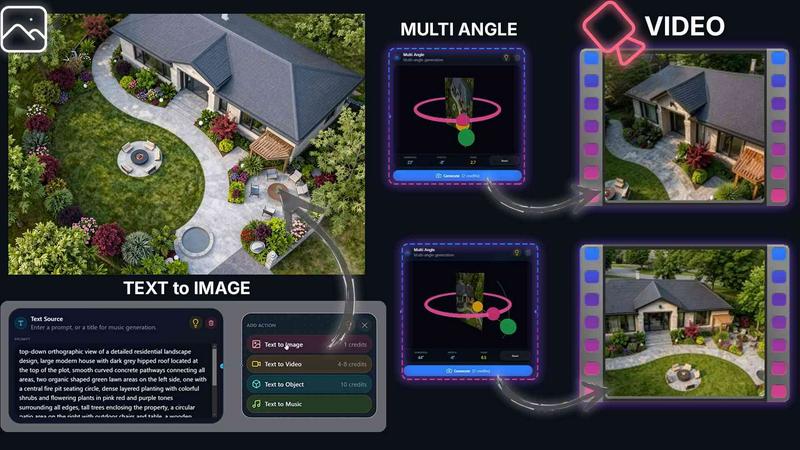
About QUVIAI
QUVIAI is an innovative all-in-one AI-powered creative platform tailored specifically for architects, designers, and creators seeking to elevate their design process. By allowing users to effortlessly upload sketches, images, or 3D models, QUVIAI transforms these inputs into stunning, photorealistic renders, cinematic videos, multi-angle views, and original music, all within a single interface. This user-friendly platform empowers creators to model, render, and iterate efficiently without the hassle of switching between multiple tools. With a built-in 3D workspace, users can edit scenes using intuitive text prompts, generate custom furniture and decorative objects, and produce engaging cinematic walkthroughs. Available on web, iOS, and Android, QUVIAI is designed to inspire and streamline the creative workflow, making it accessible for professionals and hobbyists alike. Begin your journey of transforming visions into reality with QUVIAI.
Features of QUVIAI
AI Image Generation
QUVIAI offers an advanced image generation suite that enables users to turn simple text prompts or reference images into breathtaking photorealistic architectural renders within seconds. This feature streamlines the creative process, allowing designers to visualize concepts rapidly and effectively.
AI Video Creation
With the AI video creation tool, users can animate still images, generate immersive walkthroughs, or craft cinematic sequences from a single input. This feature simplifies storytelling through visuals, making it easier to present ideas and concepts in a dynamic format.
Multi Angle Camera
The multi-angle camera feature allows users to generate various architectural viewpoints from a single source image. This capability enriches presentations with diverse perspectives, providing a comprehensive view of designs and enhancing client engagement during presentations.
Object Staging
The object staging suite lets users seamlessly integrate generated 3D objects into scene backgrounds. With consistent lighting and scene composition, this feature helps in producing polished visuals that are ready for presentation, ensuring that every detail aligns with the overall design intent.
Use Cases of QUVIAI
Architectural Visualizations
Architects can utilize QUVIAI to create stunning visualizations of their projects, from initial concepts to final renders. The platform's tools enable quick iterations and adjustments, ensuring that every design element meets the client’s expectations.
Interior Design Presentations
Interior designers can leverage QUVIAI to generate immersive and visually appealing presentations for their designs. By staging furniture and decor within realistic settings, they can effectively communicate their vision to clients and stakeholders.
Marketing and Promotion
Real estate developers can use QUVIAI to produce high-quality marketing materials that showcase properties through photorealistic images and engaging videos. This approach enhances property listings and attracts potential buyers by vividly portraying the space's potential.
Creative Exploration
Artists and creators can experiment with QUVIAI to explore new concepts and ideas. By generating a variety of renders and animations, they can push the boundaries of their creativity and discover unique design solutions that may not have been possible otherwise.
Frequently Asked Questions
How does QUVIAI support collaboration among team members?
QUVIAI features a collaborative workspace that enables team members to work together in real-time, share ideas, and provide feedback on designs. This fosters a more integrated workflow and enhances the overall creative process.
What types of files can I upload to QUVIAI?
Users can upload a variety of file types, including sketches, images, and 3D models. This versatility allows for a seamless transition from initial concepts to final presentations.
Is QUVIAI suitable for beginners?
Yes, QUVIAI is designed to be user-friendly, making it accessible for both beginners and experienced professionals. The intuitive interface and guided workflows help newcomers quickly learn how to utilize the platform effectively.
Can I export my creations from QUVIAI?
Absolutely. Once your designs are complete, QUVIAI allows you to export your renders, videos, and other creations in various formats, making it easy to share your work with clients or use it in presentations.
Similar to QUVIAI

StyleCut
StyleCut is an AI hairstyle changer that lets you preview 70+ haircut ideas on your own photo before visiting the salon.
Vismuse
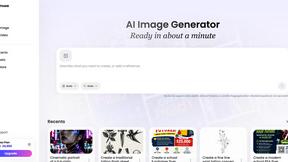
Create polished AI images and videos from prompts or references for social posts, ads, flyers, album covers, and campaigns.
StopScroll
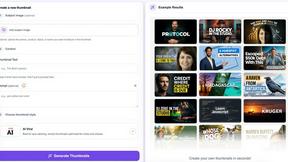
AI YouTube thumbnail maker that helps creators generate high-click thumbnails faster.
Yume Comic
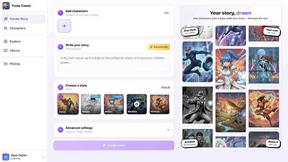
Yume Comic transforms your story ideas into professional manga and webtoon pages with consistent characters, no drawing skills required.
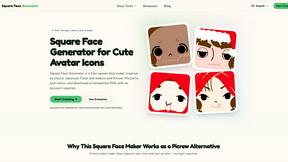
Square Face Generator
Square Face Generator is a free browser-based avatar maker that lets you mix parts, pick colors, and download transparent PNG icons without any login.