

Alternatives to archmaster
Archmaster uses AI to turn photos of rooms or buildings into photorealistic redesigned renders in seconds with 20 style presets.
Explore 3 alternatives to archmaster. Compare features, pricing, and find the best fit for your needs.
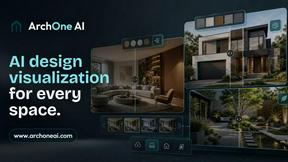
ArchOne AI
All-in-one AI spatial design visualization platform for interior, exterior and landscape design.
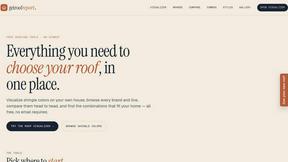
RoofReport
RoofReport is a free AI tool that lets you visualize any shingle brand and color on your own house instantly with no signup required.
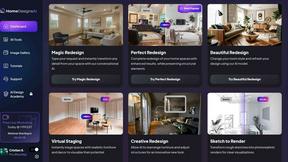
HomeDesignsAI
Transform your home and garden in under 30 seconds with AI-powered redesigns from just one photo, tailored to your style preferences.
About archmaster Alternatives
Archmaster is an AI-powered interior design and architectural rendering platform that allows users to transform photos of rooms, exteriors, or outdoor spaces into photorealistic designs within seconds. It falls under the interior design and architectural visualization category, leveraging artificial intelligence to eliminate the need for traditional 3D modeling or complex design software. While Archmaster offers a robust set of features like interior redesign, exterior facade transformation, and sketch-to-render capabilities, users commonly look for alternatives due to factors such as subscription pricing structures, specific feature gaps like advanced editing tools, platform compatibility issues, or the desire for more specialized outputs like high-resolution walkthroughs. When evaluating an alternative, it is important to consider the breadth of design categories covered, the quality and speed of rendering, the availability of customization options such as inpainting and style selection, and whether the tool supports the specific workflow, whether for residential renovation planning or professional client presentations.
FAQs about archmaster Alternatives
What is archmaster?
Archmaster is an AI-powered interior design and architectural rendering platform that transforms uploaded photos of rooms, exteriors, or outdoor spaces into photorealistic designs. It uses artificial intelligence to apply chosen styles and generate high-quality renders in seconds, without requiring any 3D modeling or design software skills. The platform supports a wide range of applications, from interior redesign to exterior facade changes and kitchen layout visualization.
Who is archmaster for?
Archmaster is built for homeowners planning renovations, interior designers presenting concepts to clients, and architects creating visualizations for projects. It is also suitable for real estate professionals and anyone looking to quickly visualize design changes without technical expertise. The tool is designed to be accessible to users with no prior design software experience, making it ideal for both personal and professional use.
Is archmaster free?
The provided content does not specify whether Archmaster offers a free tier or pricing details. However, like many AI design platforms, it may offer a limited free trial or a freemium model with basic features, while full access to advanced capabilities such as AI render enhancement, video walkthroughs, and unlimited renders likely requires a paid subscription. Users should check the official Archmaster website for the most current pricing and free trial options.
What are the main features of archmaster?
Archmaster includes several key features: interior AI design for rooms like living rooms and kitchens, exterior and facade design for home exteriors and outdoor spaces, and kitchen AI design for visualizing countertops and cabinets. It also offers a sketch-to-render tool for converting architectural sketches into photorealistic images, an AI render enhancer for upscaling and sharpening visuals, an edit and modify function for inpainting specific areas, and an architecture AI video feature that animates renders into short walkthrough videos.