

Alternatives to BlueHumanizer
BlueHumanizer transforms AI-generated text into clear, natural writing with one click, preserving your meaning and tone.
Explore 20 alternatives to BlueHumanizer. Compare features, pricing, and find the best fit for your needs.



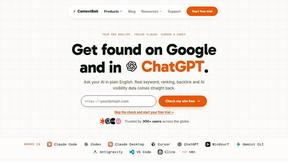
ContextBolt SEO
Research keywords, competitors, backlinks and AI visibility in Claude or Codex. Keep the findings in your SEO dashboard.


Built2WinWeb AI SEO
Custom PHP websites, AI Indexing Pack ($599 one‑time), and WebAgentScan SaaS ($9/mo). MCP, A2A, llms.txt, full ownership.




VideoAny BE
Create AI videos from text or images, generate images and audio in one online studio.

VideoAny BR
Create AI videos from text or images, generate images and audio in one online studio.

HubVanta AI
HubVanta AI helps creators generate images and videos with advanced AI tools for visual content workflows.

EchoLeads AI
EchoLeads AI uses intelligent voice agents to automate cold calling, lead qualification, and appointment scheduling across multiple channels.

Serro AI
Serro AI is a coordination layer that keeps human-agent teams aligned by automatically capturing and surfacing program memory across your tools.
Sitp GPT
Sitp GPT gives SaaS builders 60+ AI tools for sitemaps, conversions, and billing in one expert toolkit.

Plant Identify
Identify any plant, flower, or tree instantly with a photo and get tailored care tips and disease diagnosis.

About BlueHumanizer Alternatives
BlueHumanizer is an AI humanizer tool that falls under the category of AI writing assistants. Its core function is to take text generated by large language models like ChatGPT, Claude, or Gemini and rewrite it into clear, natural prose that reads as if written by a human. The tool focuses on preserving the original meaning, tone, and key points while improving sentence structure, flow, and rhythm, making it distinct from basic synonym-swapping software. Users commonly look for alternatives to BlueHumanizer due to specific needs such as different pricing models, a desire for more advanced tone controls, support for particular languages not covered, or integration requirements with other platforms or workflows. Some users may also seek tools with a different emphasis, such as deep paraphrasing for SEO or academic citation formatting. When evaluating an alternative to BlueHumanizer, you should prioritize tools that offer true structural rewriting rather than simple word replacement, as the latter often fails to produce genuinely natural text. Look for features that allow you to adjust the level of humanization or tone, as this flexibility is crucial for adapting content to different audiences, from academic papers to marketing copy. Security and privacy are also paramount, especially for researchers and professionals handling sensitive information; ensure the platform has a clear data handling policy. Finally, consider the breadth of language support, the availability of a free tier or trial to test the output quality, and whether the tool can handle longer documents without losing coherence or breaking citations.
FAQs about BlueHumanizer Alternatives
What is BlueHumanizer?
BlueHumanizer is an AI humanizer tool that transforms AI-generated text into clear, natural-sounding writing in one click. It takes output from platforms like ChatGPT, Claude, or Gemini and rewrites it into polished prose with improved flow and sharper phrasing, all while keeping the original meaning, tone, and key points intact. Unlike basic synonym-swapping tools, BlueHumanizer reshapes sentence structure and restores natural rhythm, making the text feel genuinely human. It also ensures that quotes and citations remain untouched during the rewriting process.
Who is BlueHumanizer for?
BlueHumanizer is built for a wide range of users including students, researchers, marketers, and anyone who writes with the assistance of AI. It is particularly useful for those refining essays, polishing research papers, creating on-brand marketing copy, or warming up everyday emails and reports. The tool is designed for individuals who need AI-generated content to sound clean, natural, and ready for publication without losing the original context or intent. Its adjustable humanization levels and tone controls make it adaptable to different professional and academic writing styles.
Is BlueHumanizer free to use?
Yes, BlueHumanizer is free to start using and does not require a credit card to begin. The platform offers a free tier that allows users to access its core humanization features without any upfront payment. This makes it accessible for students, freelancers, and professionals who want to test the quality of the output before committing to a paid plan. Specific details about usage limits or premium tiers beyond the free offering are typically outlined on the product's pricing page.
What are the main features of BlueHumanizer?
BlueHumanizer offers several key features including one-click humanization of AI text, support for over 50 languages, and adjustable levels of humanization to control how much the text is rewritten. It also provides tone controls to match different writing styles, such as professional, casual, or academic. A standout feature is its ability to preserve quotes and citations exactly as they appear, which is critical for research and academic work. The tool focuses on structural rewriting rather than simple synonym replacement, ensuring better flow and a more natural reading experience.