

Alternatives to SubcueAI
SubcueAI is a real-time AI interview assistant for macOS and Windows that captures audio from video calls and provides intelligent answer suggestions.
Explore 20 alternatives to SubcueAI. Compare features, pricing, and find the best fit for your needs.

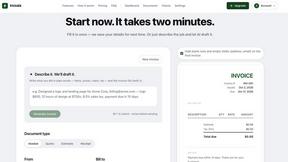
invoala
Invoala is a free invoice, quote and estimate generator: you fill in a form and download a professional A4 PDF, with no sign-up and no credit card nee
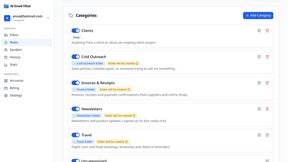
AI Email Filter
AI Email Filter sorts incoming mail into folders using plain-language prompts you write. Works with any IMAP mailbox; bring your own LLM if you want.

Product Launch Checklist
A free launch checklist for SaaS, apps, AI tools and more. Every step says why it matters and when you can skip it.
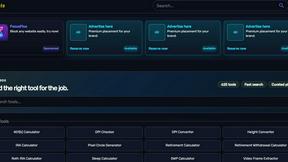
Kody Tools
Free collection of online developer utilities, code formatters, and digital converters designed to streamline your daily workflow.
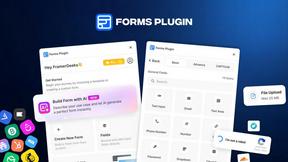
Forms Plugin
The #1 Native Form Builder Plugin for Framer - No Code, No Embeds, No External Platforms.



PDFKing
Free all-in-one online PDF toolkit to convert, compress, merge, split, edit, organize and protect PDF files quickly and securely.


PDFWix
PDFWix solves the challenge of managing PDF documents by providing free, secure, and easy-to-use tools for editing, converting, compressing and more..
VideoToScript
Turn TikTok, Reels, Shorts, Facebook videos, audio, and video into accurate timestamped transcripts with TXT, SRT, and VTT exports.



Wisegrid
Wisegrid helps project-driven teams manage projects, workflows, resources, and reporting in a familiar spreadsheet-style workspace.


Postqued
Schedule and publish social content across 10 platforms with one dashboard, API, and MCP built for teams and AI agents.


ihatepdf.cv
ihatepdf.cv is a privacy-first, browser-based PDF platform that provides an extensive suite of tools for editing, converting, compressing, organizing,
About SubcueAI Alternatives
SubcueAI is an AI-powered interview assistant designed for macOS and Windows users that provides real-time answer suggestions during video interviews. Falling under the productivity and management category, it captures audio from platforms like Zoom, Google Meet, and Microsoft Teams, transcribes questions, and generates context-aware responses using GPT-4o to help candidates perform better in technical coding, behavioral, and case interviews. Users commonly seek alternatives to SubcueAI due to factors such as pricing structures that may not fit their budget, a need for broader platform compatibility beyond macOS and Windows, or a desire for additional features like offline functionality, deeper customization of response styles, or integration with other job search tools. When evaluating an alternative, it is important to consider the accuracy of real-time transcription, the quality of AI-generated responses for your specific interview type, the level of data privacy and security offered, and whether the tool supports the video conferencing platforms you use most frequently. Additionally, assess ease of use, response speed, and whether the pricing model aligns with your usage patterns, as some tools offer one-time purchases while others require monthly subscriptions.
FAQs about SubcueAI Alternatives
What is SubcueAI?
SubcueAI is a real-time AI answer suggestion tool designed for macOS and Windows users to improve job interview performance. It captures audio from video calls on platforms like Zoom, Google Meet, and Microsoft Teams, transcribes interview questions, and generates context-aware responses powered by GPT-4o. It supports various interview formats, including technical coding, behavioral, and case interviews.
Who is SubcueAI for?
SubcueAI is primarily designed for job seekers and professionals who want to enhance their performance during video interviews. It is suitable for candidates preparing for technical coding interviews, behavioral interviews, and case interviews. The tool is built for users on macOS and Windows operating systems who frequently use video conferencing platforms for interviews.
Is SubcueAI free?
Based on the provided product description, SubcueAI is not described as a free tool. It is a commercial AI interview assistant, and users typically need to purchase a license or subscribe to a plan to access its features. For specific pricing details, including any free trial options, users should visit the official SubcueAI website or contact their support team.
What are the main features of SubcueAI?
SubcueAI's main features include real-time audio capture from video conferencing platforms such as Zoom, Google Meet, and Microsoft Teams, along with automatic transcription of interview questions. It generates context-aware answer suggestions using GPT-4o, and it supports multiple interview formats like technical coding, behavioral, and case interviews. The tool is available for both macOS and Windows operating systems.