
Best Productivity & Management tools (53+)
Discover 53+ best productivity & management tools. Compare features, pricing, and reviews. Free and paid options available.
Novastart
Apps and files on an infinite canvas where people and AI agents work together.
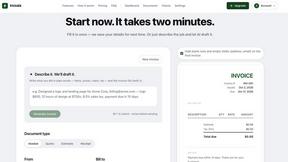
invoala
Invoala is a free invoice, quote and estimate generator: you fill in a form and download a professional A4 PDF, with no sign-up and no credit card nee
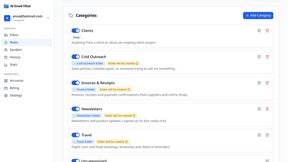
AI Email Filter
AI Email Filter sorts incoming mail into folders using plain-language prompts you write. Works with any IMAP mailbox; bring your own LLM if you want.
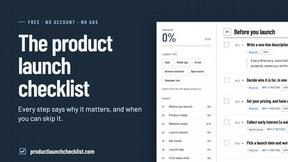
Product Launch Checklist
A free launch checklist for SaaS, apps, AI tools and more. Every step says why it matters and when you can skip it.
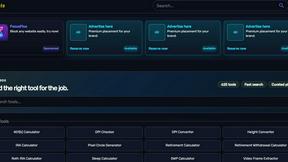
Kody Tools
Free collection of online developer utilities, code formatters, and digital converters designed to streamline your daily workflow.
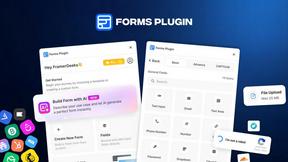
Forms Plugin
The #1 Native Form Builder Plugin for Framer - No Code, No Embeds, No External Platforms.



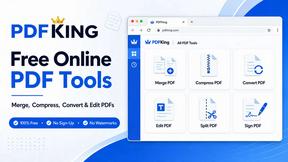
PDFKing
Free all-in-one online PDF toolkit to convert, compress, merge, split, edit, organize and protect PDF files quickly and securely.

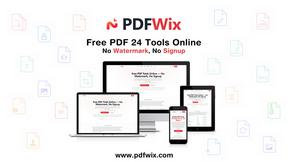
PDFWix
PDFWix solves the challenge of managing PDF documents by providing free, secure, and easy-to-use tools for editing, converting, compressing and more..
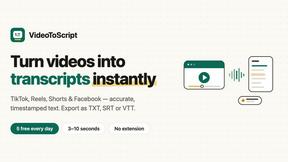
VideoToScript
Turn TikTok, Reels, Shorts, Facebook videos, audio, and video into accurate timestamped transcripts with TXT, SRT, and VTT exports.



Wisegrid
Wisegrid helps project-driven teams manage projects, workflows, resources, and reporting in a familiar spreadsheet-style workspace.


Postqued
Schedule and publish social content across 10 platforms with one dashboard, API, and MCP built for teams and AI agents.
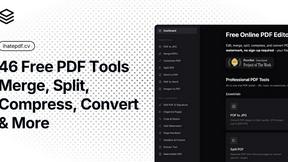
ihatepdf.cv
ihatepdf.cv is a privacy-first, browser-based PDF platform that provides an extensive suite of tools for editing, converting, compressing, organizing,
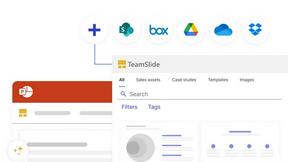
TeamSlide
TeamSlide lets your team build on-brand presentations instantly by syncing approved slides from your content system directly into PowerPoint.
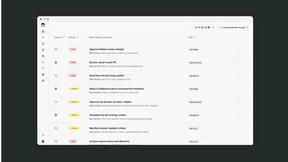
readywhen
readywhen automatically captures your decisions and commitments from tools you already use, then drafts your next steps so you just approve.

Caesura
Caesura is a macOS menu-bar app that reminds you to drink water, stretch, rest your eyes, and breathe at science-backed intervals.

Vibeworker
Vibeworker uses AI to instantly score every new Upwork job against your profile and strategy, sending you only the best opportunities.
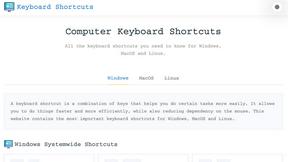
Online Keyboard Shortcuts
OnlineShortcuts.com provides a comprehensive, cross-platform reference for essential Windows, macOS, and Linux keyboard shortcuts to boost.

MacBrightness
MacBrightness unlocks your Mac's hidden brightness range, giving you up to 1,600 nits for clear outdoor visibility using your existing keys.
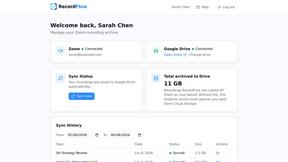
RecordFlow
RecordFlow automatically saves Zoom cloud recordings to Google Drive and optionally deletes them from Zoom to free storage.

Vendbuddy
VendBuddy simplifies vending operations by locating machines, generating contracts, and tracking revenue, enabling effortless income generation.

SubcueAI
SubcueAI is a real-time AI interview assistant for macOS and Windows that captures audio from video calls and provides intelligent answer suggestions.

LaunchPact
LaunchPact connects founders launching near the same date to form mutual upvote pacts for verified Product Hunt momentum.
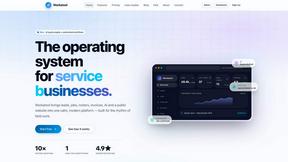
Workatool
Workatool is a unified platform that streamlines quoting, scheduling, invoicing, and team management for service businesses.

Meme Library
Meme Library is a free, private tool that saves and organizes your memes with text search inside images for fast recall and sharing.
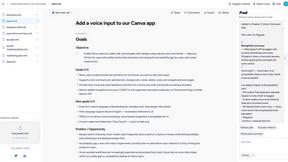
hiFred
hiFred is your AI project management copilot that enhances productivity from discovery to alignment with just one click.
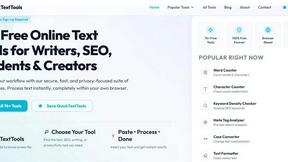
QuickTextTools
QuickTextTools provides over 76 free, browser-based utilities to instantly process text without sign-ups, enhancing productivity for writers and.
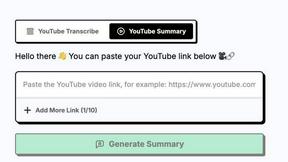
ytskim
ytskim transcribes and summarizes YouTube videos so you can quickly capture key insights without watching the entire content.
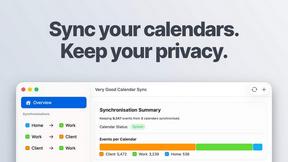
Very Good Calendar Sync
Very Good Calendar Sync quietly keeps your work, personal, and client calendars aligned on your Mac without linking accounts or exposing sensitive.

Cece AI
Cece AI is your efficient email-based assistant that manages scheduling, invoicing, and follow-ups, freeing you to focus on core business tasks.

Texas Pro Build
Texas Pro Build provides trusted Fort Worth roof repair, replacement, and storm damage restoration with expert, insured service.

Popular Alternatives in Productivity & Management
About Productivity & Management tools
Productivity and Management tools help individuals and teams organize work, manage projects, track time, communicate effectively, and accomplish more in less time. This category includes project management platforms, task managers, time trackers, team communication tools, note-taking apps, and workspace organization solutions.
Whether you are managing a complex project with multiple stakeholders, organizing personal tasks, tracking billable hours, coordinating a remote team, or building a personal knowledge management system, these tools provide the organizational infrastructure for productive work.
Compare productivity and management tools by their task management features, collaboration capabilities, integration ecosystem, customization options, and pricing to find the right tools for your work style and team needs.
FAQs for Productivity & Management
What types of productivity tools are listed?
This category includes project management platforms, task and to-do managers, time tracking tools, team communication apps, note-taking and knowledge management tools, calendar and scheduling apps, and workspace organization solutions.
Which productivity tool is best for teams?
The best tool depends on your team size, workflow, and collaboration style. Look for platforms with shared workspaces, task assignments, real-time updates, integrations with your existing tools, and communication features that match how your team works.
Can productivity tools integrate with other software?
Yes. Most productivity tools offer extensive integrations with email, calendar, communication, file storage, and development tools. Many also support automation through Zapier, Make, or native webhook integrations.
How do time tracking tools work?
Time tracking tools let you log hours manually or through automatic timers, categorize time by project and task, generate reports for billing or analysis, and integrate with project management tools for comprehensive work tracking.
Are there free productivity tools?
Yes. Many productivity tools offer generous free tiers with core task management, basic project features, and limited team collaboration. Premium plans unlock advanced features, larger team support, and more storage.
How do I choose the right productivity tool?
Consider whether you need individual task management or team collaboration, your preferred workflow methodology, required integrations, and budget. Test free tiers of several tools to find the interface and feature set that matches your work style.