
MacBrightness
MacBrightness unlocks your Mac's hidden brightness range, giving you up to 1,600 nits for clear outdoor visibility using your existing keys.
Visit
About MacBrightness
MacBrightness is a utility application designed specifically for modern MacBook Pro models and the Pro Display XDR to unlock their full brightness potential. While macOS typically caps screen brightness at around 50 percent of what the display hardware can actually achieve, MacBrightness gives users access to the complete brightness range, allowing the screen to reach up to 1,600 nits. This means your Mac can go nearly twice as bright as the operating system normally permits. The application works system-wide, meaning every application benefits from the increased brightness, not just HDR video content. It integrates seamlessly with the existing brightness keys on your keyboard, so there are no new shortcuts to learn or menu bars to navigate. MacBrightness is designed for professionals, travelers, remote workers, and anyone who uses their Mac in bright environments like sunny patios, airport gates, or next to large windows. The software operates with no noticeable CPU overhead and uses no low-level system hacks, making it safe and efficient. It opens in a free Splitscreen Mode that lights up half the screen to full brightness for comparison, and users can unlock the full screen with a one-time purchase, with no subscription required. The application requires macOS 13 or later and works with MacBook Pro 14-inch and 16-inch models featuring M-series Pro or Max chips, as well as the Pro Display XDR.
Features of MacBrightness
System-Wide Brightness Unlock
MacBrightness unlocks the full brightness potential of your Mac's display across every application, not just within HDR video content. When you press your brightness keys past the old macOS limit, the entire screen continues to brighten uniformly. This means your word processor, web browser, code editor, design software, and all other apps benefit from the extra luminance. The effect is consistent and immediate, providing a seamless experience whether you are editing photos, reading documents, or browsing the web.
Native Brightness Key Integration
The application works with the brightness keys you already use on your Mac keyboard, requiring no new shortcuts, menu bar clicks, or additional controls. Simply tap the brightness up key repeatedly, and once you pass the standard macOS maximum, the screen continues to brighten smoothly into the unlocked range. This intuitive design means there is zero learning curve, and you can adjust brightness exactly as you always have, just with twice the available range. The integration feels like a natural extension of macOS rather than a third-party add-on.
Free Splitscreen Trial Mode
When you first download and launch MacBrightness, it opens in Splitscreen Mode, which lights up one half of your screen to full brightness while leaving the other half at the standard macOS level. This side-by-side comparison lets you see the dramatic difference instantly and for free, for as long as you like. You can drag a slider to compare the two halves and evaluate exactly how much brighter your screen can be. This trial mode requires no account creation, no credit card, and no subscription, allowing you to test the full effect before making any purchase decision.
No Performance Overhead or System Hacks
MacBrightness operates with no noticeable CPU overhead and uses no low-level system hacks or kernel extensions. It simply opens the HDR brightness range that your display already supports and keeps in reserve for HDR content. This means your Mac runs normally, battery life is not significantly impacted, and there is no risk of system instability. The application is lightweight, efficient, and designed to work transparently in the background, only affecting brightness when you choose to increase it beyond the standard limit.
Use Cases of MacBrightness
Outdoor Work in Direct Sunlight
For professionals who need to work outside, whether on a sunny café patio, a park bench, or a balcony, MacBrightness makes the screen readable when it would otherwise be a mirror. Standard macOS brightness caps at around half the display's capability, which is often insufficient for direct sunlight. With MacBrightness, you can push past that limit and achieve up to 1,600 nits, making text, images, and interfaces sharp and visible even under the brightest sun. This allows you to choose your workspace based on comfort and preference rather than shade availability.
Travel and Mobile Productivity
Frequent travelers often find themselves working in variable lighting conditions, such as airplane cabins, airport lounges, or hotel rooms with large windows. MacBrightness ensures that your screen remains usable regardless of ambient light. At the airport gate, on the plane next to a window, or in a rental car, you can quickly adjust brightness to overcome glare and reflections. The one-time purchase means there is no ongoing cost, making it a practical investment for anyone who relies on their Mac while traveling for business or leisure.
Creative and Design Work
Photographers, video editors, graphic designers, and other creative professionals benefit from accurate brightness for color grading and detail inspection. The extra brightness range allows you to see shadow details, highlights, and color accuracy more clearly, especially when working in bright environments. Since MacBrightness works system-wide, every creative application from Adobe Photoshop to Final Cut Pro displays at the full brightness of the panel, giving you better visibility for precise editing decisions. This is particularly valuable for outdoor shoots or on-location editing.
Presentations and Client Demos
When presenting work to clients or colleagues in bright conference rooms, trade show floors, or outdoor events, MacBrightness ensures your screen is visible and impressive. Standard brightness often washes out under overhead lighting, making your work look dull and difficult to see. With the extra brightness range, your presentations, portfolios, and demos remain vibrant and clear, helping you communicate your ideas effectively. The simple brightness key control means you can adjust on the fly without fumbling with menus.
Frequently Asked Questions
Which Mac models are compatible with MacBrightness?
MacBrightness is compatible with MacBook Pro 14-inch and 16-inch models that feature M-series Pro or Max chips, as well as the Pro Display XDR. These models use mini-LED panels that can sustain around 1,600 nits of brightness. Other Mac models may not have the hardware capability to support the full brightness range that MacBrightness unlocks. You can check your Mac's specifications in the About This Mac section to confirm compatibility. The application requires macOS 13 or later to run.
Does MacBrightness affect battery life or system performance?
MacBrightness is designed to have no noticeable CPU overhead and uses no low-level system hacks. It simply opens the HDR brightness range that your display already supports, so there is minimal impact on battery life. Running the display at higher brightness will consume more power, as it would with any brightness increase, but the application itself uses negligible processing resources. You can expect normal system performance and battery behavior while using MacBrightness.
How does the free Splitscreen trial work?
When you download and open MacBrightness, it launches in Splitscreen Mode by default. This mode lights up one half of your screen to the full unlocked brightness while leaving the other half at the standard macOS maximum. You can use this side-by-side comparison to see the difference instantly. The Splitscreen Mode remains free for as long as you want, with no time limit, account creation, or credit card required. To unlock the full screen brightness, you purchase a one-time license.
Is MacBrightness a subscription or a one-time purchase?
MacBrightness is a one-time purchase with no subscription required. You pay once and unlock the full screen brightness for life. The free Splitscreen Mode allows you to test the application indefinitely at no cost, and when you decide to upgrade, a single payment gives you permanent access to the complete brightness range across your entire screen. There are no recurring fees, no hidden costs, and no in-app purchases beyond the initial license.
Pricing of MacBrightness
MacBrightness is available for a one-time purchase of $5. There are no subscription fees, no recurring charges, and no hidden costs. The application offers a free Splitscreen Mode that lights up half of your screen to full brightness indefinitely, allowing you to test the difference before purchasing. When you buy a license, the full brightness covers the entire screen in every application. No account is needed to download or use the free trial, and the purchase is a simple, single transaction that unlocks the software permanently.
Explore more in this category:
Similar to MacBrightness


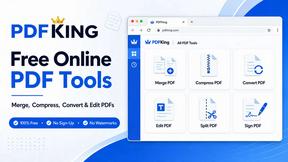
PDFKing
Free all-in-one online PDF toolkit to convert, compress, merge, split, edit, organize and protect PDF files quickly and securely.


PDFWix
PDFWix solves the challenge of managing PDF documents by providing free, secure, and easy-to-use tools for editing, converting, compressing and more..
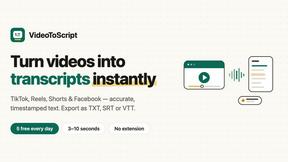
VideoToScript
Turn TikTok, Reels, Shorts, Facebook videos, audio, and video into accurate timestamped transcripts with TXT, SRT, and VTT exports.

