
Meme Library
Meme Library is a free, private tool that saves and organizes your memes with text search inside images for fast recall and sharing.
Visit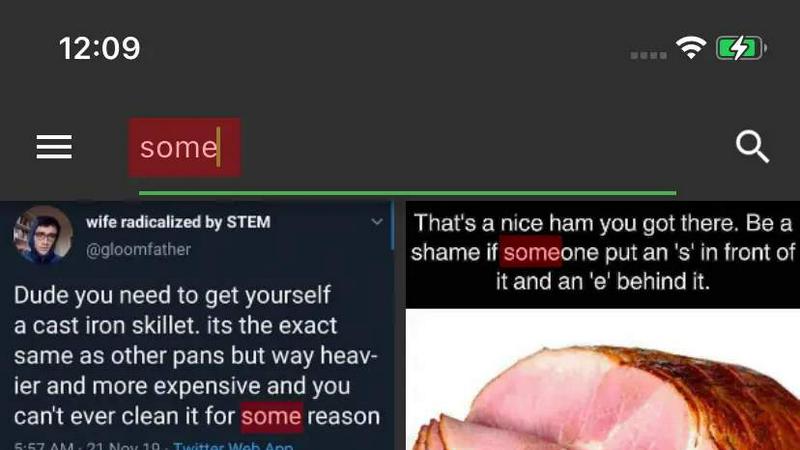
About Meme Library
Meme Library is a dedicated, private, and highly functional application designed to solve a common problem for digital content enthusiasts: the chaotic and disorganized nature of meme collections. In an age where reaction images, niche jokes, screenshots, and internet classics are essential for communication, finding the perfect meme at the right moment can be a frustrating exercise in endless scrolling through camera rolls or social media feeds. Meme Library acts as a centralized, searchable home for all your visual humor. It allows users to save memes from virtually any source, including Instagram, Reddit, web browsers, and their device’s gallery, using the native share sheet functionality. The core value proposition lies in its powerful search capability, which uses Optical Character Recognition (OCR) technology to find memes based on the actual text contained within the image. This means you can search for a specific caption, a funny phrase, or a word from a screenshot and instantly retrieve the matching meme. The application is built for a wide audience, from casual users who enjoy sharing reaction memes with friends to serious collectors who amass thousands of themed images. It prioritizes user privacy by keeping all data stored locally on the device, with no social feeds, no forced sharing, and no tracking. For users concerned about data loss, Meme Library offers a seamless backup and restore feature, ensuring your curated collection survives phone upgrades or app reinstallations. The interface is lightweight, clean, and free from ads or bloatware, focusing purely on providing a fast, efficient, and enjoyable experience for managing and using your personal meme vault.
Features of Meme Library
Text Search Inside Images
This is the standout feature of Meme Library, utilizing advanced Optical Character Recognition (OCR) technology to scan and index all text visible within your saved images. Whether a meme contains a classic caption, a screenshot of a tweet, a funny sign, or even a screenshot of another screenshot, the app extracts that text and makes it searchable. This eliminates the need to manually tag or describe images, allowing you to find the perfect reaction meme by simply typing the phrase you remember. For example, searching for "distracted boyfriend" will instantly surface that specific meme format, even if the file name is generic.
Save From Anywhere
Meme Library integrates deeply with your device’s operating system to provide a frictionless saving experience. You can save memes directly from popular social media platforms like Instagram, Reddit, and Twitter, as well as from web browsers, messaging apps, and your device’s native gallery. The process is handled through the standard share sheet, meaning you can select an image in any app, tap the share icon, and choose Meme Library as the destination. This universal saving mechanism ensures that no meme you encounter online or on your phone is ever out of reach, making collection building effortless and intuitive.
Backup and Restore
Understanding that a meme collection represents personal time and curation effort, Meme Library provides a robust and secure backup and restore system. This feature allows users to create a complete snapshot of their entire library, including all images and their associated searchable text indexes. If you upgrade to a new phone, reinstall the app, or simply want to transfer your collection to another device, you can easily restore from a previous backup. This ensures that your carefully gathered library of reaction memes, niche jokes, and internet classics remains safe and accessible across device changes, providing peace of mind against accidental data loss.
Private by Default
Meme Library is built with a strong emphasis on user privacy and data security. All memes, search indexes, and user data are stored exclusively on your local device. There is no cloud storage requirement, no social feed that exposes your collection to others, and no tracking or analytics software running in the background. The app does not force any form of sharing or social interaction. This design philosophy ensures that your personal collection of memes remains entirely yours, protected from data mining, advertising algorithms, and unwanted visibility. It is a private vault for your visual humor, not a social platform.
Use Cases of Meme Library
The Ultimate Reaction Meme Repository
For individuals who rely on memes to communicate in group chats, social media, or online forums, Meme Library serves as the ultimate quick-draw repository. Instead of scrolling through thousands of images in a camera roll to find the perfect reaction to a friend’s message, users can search by the text they want to respond with. For example, if someone says something shocking, a user can instantly search for "shocked Pikachu" or "surprised face" and share the perfect image within seconds. This dramatically speeds up conversation flow and ensures you always have the most appropriate meme at your fingertips.
Curating Niche and Themed Collections
Collectors who enjoy amassing memes around specific themes, such as programming humor, historical jokes, or fandom-specific content, can use Meme Library to keep their collections highly organized and searchable. The text search feature is particularly valuable here, as it allows users to find memes by specific keywords related to their niche. For instance, a developer could save hundreds of programming memes and later search for "JavaScript" or "bug" to find relevant images. This transforms a chaotic pile of images into a functional, categorized library that can be browsed and utilized with precision.
Archiving Internet History and Screenshots
Meme Library is not just for jokes; it is an excellent tool for archiving important or memorable screenshots, internet moments, and digital artifacts. Users can save screenshots of tweets, news headlines, inspirational quotes, or funny comments. The text search capability means that months or years later, a user can search for a specific phrase from a saved screenshot and instantly retrieve it. This makes the app a powerful personal archive for digital history, ensuring that fleeting internet moments are preserved and easily findable without relying on social media platform search functions.
Seamless Collection Migration Between Devices
When upgrading to a new smartphone, one of the most tedious tasks is transferring a large collection of images, especially if they are scattered across different apps and folders. Meme Library solves this with its dedicated backup and restore feature. A user can create a backup of their entire organized library on their old phone and then restore it onto their new device with a few taps. This ensures that the curated collection, complete with all its searchable text indexes, is perfectly replicated on the new device, eliminating the need to manually re-save or re-organize hundreds of memes.
Frequently Asked Questions
How does the text search inside images actually work?
Meme Library uses Optical Character Recognition (OCR) technology. When you save a meme or screenshot, the app automatically scans the image for any visible text characters. It then extracts this text and creates a searchable index linked to that image. When you type a query into the search bar, the app compares your query against this index and returns all images containing matching text. This works for captions, signs, tweets, and even text within complex images.
Is my meme collection stored in the cloud or shared with anyone?
No. Meme Library is designed for complete privacy. All your memes, search indexes, and app data are stored exclusively on your local device. There is no cloud storage, no social feed, and no sharing mechanism built into the app. The application does not track your usage, collect personal data, or connect to any external servers for data processing. Your collection is entirely private and under your control.
Can I save memes from Instagram, Reddit, or other apps?
Yes. Meme Library integrates with your device's share sheet, which is the standard method for sharing content between apps. When you see a meme on Instagram, Reddit, Twitter, a web browser, or any other application, simply tap the share icon and select Meme Library from the list of options. The app will then save the image directly into your library without requiring you to manually download it to your gallery first.
What happens to my collection if I delete the app or get a new phone?
If you delete the app without backing up, your collection will be lost. However, Meme Library provides a built-in Backup and Restore feature. Before deleting the app or switching phones, you can create a backup file that contains all your images and their search indexes. This file can be stored on your device or in your personal cloud storage (like Google Drive or iCloud). When you install the app on a new device, you can restore from that backup file, recovering your entire collection.
Pricing of Meme Library
Meme Library is currently offered as a free application. There are no premium tiers, subscription fees, or in-app purchases required to access any of the core features, including text search inside images, saving from anywhere, and backup and restore functionality. The app is available at no cost, with no ads and no bloatware, providing a complete and focused meme management experience for all users.
Explore more in this category:
Similar to Meme Library
Novastart
Apps and files on an infinite canvas where people and AI agents work together.
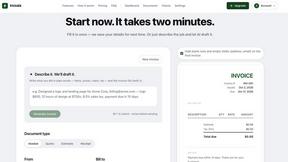
invoala
Invoala is a free invoice, quote and estimate generator: you fill in a form and download a professional A4 PDF, with no sign-up and no credit card nee
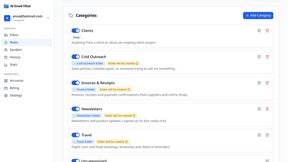
AI Email Filter
AI Email Filter sorts incoming mail into folders using plain-language prompts you write. Works with any IMAP mailbox; bring your own LLM if you want.

Product Launch Checklist
A free launch checklist for SaaS, apps, AI tools and more. Every step says why it matters and when you can skip it.
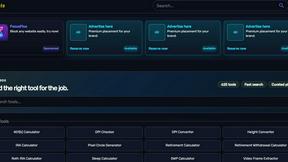
Kody Tools
Free collection of online developer utilities, code formatters, and digital converters designed to streamline your daily workflow.
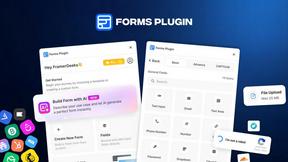
Forms Plugin
The #1 Native Form Builder Plugin for Framer - No Code, No Embeds, No External Platforms.

