KPI Studio
KPI Studio lets you paste raw data, customize animated charts, and export professional video clips in under 60 seconds.
Visit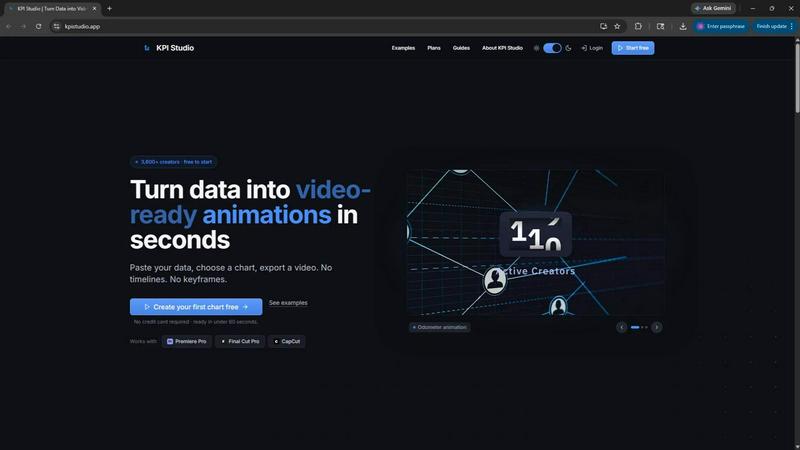
About KPI Studio
KPI Studio is a specialized software tool designed for data-driven video creators who need to incorporate animated charts and metrics into their content without the time investment required by traditional motion design. The platform eliminates the broken workflow that currently plagues content production, where creators are forced to choose between amateur-looking screenshots, inflexible Canva templates, time-consuming After Effects sessions, or expensive and slow freelance motion designers. KPI Studio removes this entire process by allowing users to paste their data, choose a chart type, and export a fully animated, video-ready visual in under 60 seconds. There are no timelines to manage, no keyframes to set, and no complex setup procedures. The tool is built specifically for creators operating on a publish schedule who need their charts ready the same day. With exports that include transparent background support, charts can be dropped directly into Premiere Pro, Final Cut Pro, or CapCut without any additional editing. For advanced workflows, JSON export capabilities allow deeper editing and integration into custom production pipelines. KPI Studio currently serves over 3,600 creators and offers a free tier to get started, making professional animated data visualization accessible to anyone producing video content.
Features of KPI Studio
Three-Step Creation Process
The core workflow of KPI Studio is designed for maximum efficiency, requiring only three simple steps to produce professional animated charts. Users begin by pasting their raw data into the platform, then customize the chart appearance to match their brand or video style, and finally export the result as a video file. This streamlined process eliminates the need for any design or animation skills, allowing creators to focus on their content rather than the technical aspects of motion graphics. When data changes, users can simply re-export without redoing any work.
Multiple Video Export Formats
KPI Studio supports a comprehensive range of export formats to ensure compatibility with every major video editing platform. Users can export their animated charts as MP4, GIF, MOV with transparency, or PNG sequences, all optimized for direct use in Premiere Pro, Final Cut Pro, CapCut, and other editing software. The transparent background option is particularly valuable as it allows charts to be overlaid on existing footage without any additional compositing work. Each format is available in multiple aspect ratios including 16:9 widescreen, 1:1 square, 9:16 stories, and 4:3 standard.
Advanced Animation Types
The platform offers a variety of sophisticated animation styles that bring data to life on screen. Count-up numbers animate milestone metrics like subscriber counts, revenue totals, or progress indicators as they climb to their final value. Growing bar charts reveal comparisons across competitors, time periods, or product lines as bars rise dynamically. Drawing line charts show revenue trends, audience growth, or any metric changing over time through self-drawing line animations. These professional animations rival what would typically require hours of motion design work.
JSON Export for Custom Pipelines
For advanced users and production teams, KPI Studio provides JSON export functionality that enables deeper integration into custom workflows. This feature allows creators to export the underlying animation data and chart configuration, which can then be imported into other tools for further customization or incorporated into automated production pipelines. This makes KPI Studio suitable not just for individual creators but also for teams that need to maintain consistent data visualization standards across large volumes of content.
Use Cases of KPI Studio
YouTube and Social Media Content
Video creators producing content for YouTube, Instagram, TikTok, and other social platforms can use KPI Studio to create engaging animated metrics that capture viewer attention. Research shows that animated visuals generate significantly more views, higher engagement rates, and longer watch times compared to static graphics. Creators can quickly produce count-up subscriber numbers, growth charts, or comparison metrics that fit perfectly into their video format, whether that is widescreen for YouTube or vertical for TikTok and Instagram Stories.
Business Presentations and Reports
Professionals preparing presentations for PowerPoint or Google Slides can leverage KPI Studio to transform static data into dynamic animated charts that make a stronger impression on audiences. The ability to export in multiple formats ensures compatibility with presentation software, while the professional animation styles elevate the quality of quarterly reports, investor updates, and team meetings. The transparent background option allows charts to be seamlessly integrated into existing slide designs without visual disruption.
eLearning and Educational Content
Educators and instructional designers can use KPI Studio to create animated data visualizations that improve message retention and comprehension in educational videos. Research indicates that people remember video content significantly more than text, making animated charts an effective tool for explaining complex data trends, historical patterns, or statistical concepts. The platform's simplicity allows educators to produce professional-quality visuals without needing technical animation skills or expensive software.
Client Projects and Agency Work
Freelance video editors and creative agencies serving multiple clients can benefit from KPI Studio's rapid turnaround capabilities and consistent output quality. The platform eliminates the bottleneck of waiting for freelance motion designers or spending hours in After Effects for simple chart animations. With the Creator Pack providing 10 video exports, professionals can efficiently handle client revisions and last-minute data updates while maintaining high production standards and meeting tight deadlines.
Frequently Asked Questions
How does KPI Studio compare to using After Effects for chart animations?
KPI Studio is designed specifically for creating animated data visualizations in under 60 seconds, while After Effects requires a steep learning curve and hours to build a single chart. Every number change in After Effects means redoing keyframes, and slow renders can block your entire workflow. KPI Studio eliminates timelines, keyframes, and setup entirely. When your data changes, you simply re-export. It is ideal for creators who need quick, professional results without the overhead of a full motion design application.
What export formats and aspect ratios are available?
KPI Studio supports MP4, GIF, MOV with transparency, and PNG sequences for maximum compatibility with video editing software. Each format is available in multiple aspect ratios including 16:9 widescreen, 1:1 square, 9:16 stories, and 4:3 standard. The transparent background option (available in MOV, GIF, and PNG formats) allows charts to be dropped directly into Premiere Pro, Final Cut Pro, or CapCut without any additional editing or compositing work.
Can I use KPI Studio for free, and what are the pricing options?
Yes, KPI Studio offers a free tier that includes unlimited PNG exports, 3 free animated exports, all chart types, and real-time preview with no credit card required. For occasional exports, the Creator Pack is available as a one-time purchase for $11.99, providing 10 video exports in GIF, MP4, WebM, and MOV formats with no watermark and 1080p resolution. For regular creators, the Pro subscription at $19.99 per month offers unlimited video exports, no watermark, 4K resolution, and the ability to cancel anytime.
What types of animated charts can I create with KPI Studio?
KPI Studio supports three primary animation types designed for different data visualization needs. Count-up numbers animate milestone metrics like subscriber counts, revenue totals, or progress indicators as they climb to their final value. Growing bar charts reveal comparisons across competitors, time periods, or product lines as bars rise dynamically on screen. Drawing line charts show revenue trends, audience growth, or any metric changing over time through self-drawing line animations that appear to sketch themselves.
Pricing of KPI Studio
KPI Studio offers three pricing tiers designed to accommodate different usage levels. The Free plan at $0 per month includes unlimited PNG exports, 3 free animated exports, all chart types, and real-time preview with no credit card required. The Creator Pack is a one-time purchase for $11.99 that includes everything in Free plus 10 video exports in GIF, MP4, WebM, and MOV formats, no watermark, 1080p export resolution, and no expiry on credits. The Pro subscription at $19.99 per month is the most popular option, offering everything in Free plus unlimited video exports, no watermark, 4K export resolution, and the ability to cancel anytime.
Similar to KPI Studio

iHatePosting
Schedule, customize, and publish content across 14 social networks from one powerful social media scheduler.
PDFKing
Free all-in-one online PDF toolkit to convert, compress, merge, split, edit, organize and protect PDF files quickly and securely.
VideoToScript
Turn TikTok, Reels, Shorts, Facebook videos, audio, and video into accurate timestamped transcripts with TXT, SRT, and VTT exports.

UGCad AI
AI UGC video ad Generator which Turn a URL, prompt, or template into a ready video ads

StopScroll
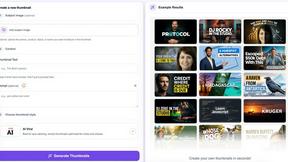
AI YouTube thumbnail maker that helps creators generate high-click thumbnails faster.