

Alternatives to KPI Studio
KPI Studio lets you paste raw data, customize animated charts, and export professional video clips in under 60 seconds.
Explore 12 alternatives to KPI Studio. Compare features, pricing, and find the best fit for your needs.

iHatePosting
Schedule, customize, and publish content across 14 social networks from one powerful social media scheduler.
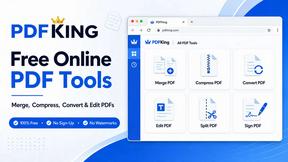
PDFKing
Free all-in-one online PDF toolkit to convert, compress, merge, split, edit, organize and protect PDF files quickly and securely.
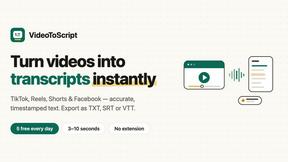
VideoToScript
Turn TikTok, Reels, Shorts, Facebook videos, audio, and video into accurate timestamped transcripts with TXT, SRT, and VTT exports.

UGCad AI
AI UGC video ad Generator which Turn a URL, prompt, or template into a ready video ads

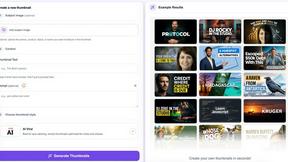
StopScroll
AI YouTube thumbnail maker that helps creators generate high-click thumbnails faster.



Masset
Masset is a central content hub that connects your business files to your AI tools for accurate, on-brand responses.

Supaslides
Supaslides transforms any brand URL into an animated, on-brand social media carousel in 60 seconds.
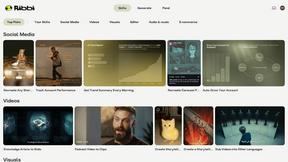
Ribbi
Ribbi is an AI-driven tool that automates social media content creation and performance tracking to enhance your online presence.

ChatGPT Image 2
Transform your creative workflow with ChatGPT Image 2, an all-in-one hub for AI image editing, generation, and video creation.
About KPI Studio Alternatives
KPI Studio is a specialized content creation tool designed to help data-driven video producers quickly transform raw data into polished, animated chart visuals. It sits at the intersection of data visualization and video editing, solving a specific pain point for creators who need frequent, high-quality chart animations without engaging in complex motion design. Users typically look for alternatives due to factors such as budget constraints, a need for more advanced customization options, or platform compatibility issues, such as requiring a web-based solution instead of a desktop application. Others may seek a tool that offers a broader range of visual styles or integrates more deeply with existing data analysis software. When evaluating alternatives to KPI Studio, it is crucial to prioritize tools that maintain precision in data representation while offering the speed and simplicity that video production schedules demand. The ideal solution should allow you to import data seamlessly, generate animations quickly, and export in formats that are compatible with major video editing software like Premiere Pro or Final Cut Pro. Look for features that support transparent backgrounds, customizable color schemes, and the ability to output in high resolution. Additionally, consider whether the tool provides a reliable, predictable workflow, as the core value of KPI Studio lies in its ability to deliver consistent, professional results without requiring a steep learning curve.
FAQs about KPI Studio Alternatives
What is KPI Studio?
KPI Studio is a specialized software tool that enables data-driven video creators to quickly animate raw data into polished, video-ready charts. It simplifies the process of creating professional data visualizations, allowing users to paste their data, select a chart type, and export a fully animated visual in under 60 seconds. The tool eliminates the need for complex motion design software like After Effects, making it accessible for creators on tight production schedules.
Who is KPI Studio for?
KPI Studio is built specifically for data-driven video creators, such as YouTubers, business analysts, and content marketers, who need to include charts in every video but lack the time or expertise for traditional motion design. It is ideal for professionals who operate on a strict publish schedule and require a reliable, fast method to generate high-quality data visuals. The tool is designed for users who want to avoid the unpredictability of AI video generators and the high cost of freelance motion designers.
Is KPI Studio free?
Based on the provided product content, KPI Studio is presented as a premium tool that solves a specific workflow bottleneck, suggesting it is a paid product. It offers advanced features like JSON export for custom pipelines and transparent background exports, which are typically associated with professional-grade software. For the most accurate and current pricing information, including any free tiers or trial periods, users should visit the official KPI Studio website.
What are the main features of KPI Studio?
The main features of KPI Studio include the ability to paste data directly into the tool, choose from a selection of chart types, and export a fully animated, video-ready visual in under 60 seconds. It supports exports with transparent backgrounds, allowing charts to be dropped directly into video editing software like Premiere Pro, Final Cut, or After Effects without additional editing. For advanced workflows, KPI Studio also offers JSON export for deeper customization and integration into custom data pipelines.