Veo 4 video generator
Veo 4 transforms text, images, or video into studio-quality clips with realistic motion and cinematic detail in seconds.
Visit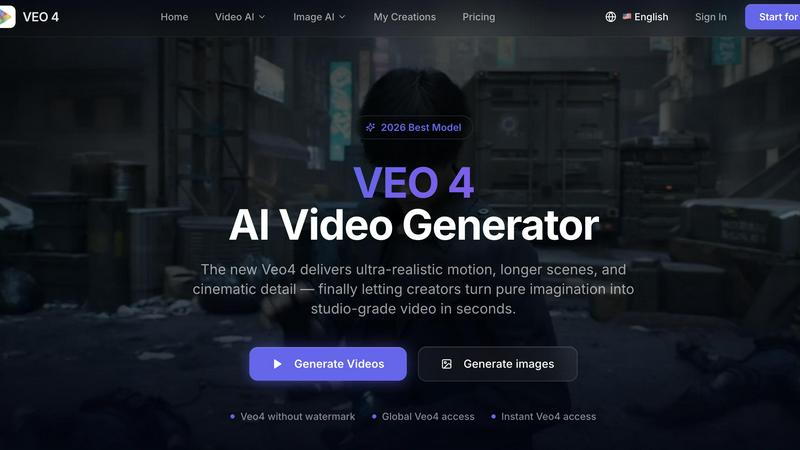
About Veo 4 video generator
Veo 4 is a next-generation AI video generator designed to help creators, marketers, and brands turn ideas into studio-quality video content in seconds. Unlike many AI video tools that feel experimental or produce jerky, low-detail results, Veo 4 focuses on delivering ultra-realistic motion, longer scenes, and cinematic detail that can actually be used in real-world projects. The tool supports three core creation paths: text to video, image to video, and video to video. This means you can start with a simple written prompt, a still image, or an existing video clip and transform it into polished, export-ready footage. Veo 4 is built for speed and clarity, making it especially useful for marketing and creative teams who need to produce first drafts quickly, compare variations, and shorten the gap between concept and publishable media. Whether you are working on product launches, paid social ads, branded storytelling, or short-form content, Veo 4 gives you smoother motion, cleaner framing, and more intentional scenes. The tool also supports longer clips for narrative sequences and campaign concepts, with clean exports that move straight into editing workflows or landing pages. With global access and no watermark on outputs, Veo 4 is a practical, production-ready solution for anyone who needs stronger video faster. The platform is designed as a complete AI video creation workflow, moving beyond research demos to provide usable output for ads, social campaigns, and commercial projects. Users can adjust aspect ratios, motion direction, and visual style to match specific brand or campaign goals.
Features of Veo 4 video generator
Three Core Creation Paths
Veo 4 offers three distinct ways to generate video content: text to video, image to video, and video to video. With text to video, you can explore a concept by simply typing a prompt. Image to video lets you upload a still image and animate it with realistic motion. Video to video allows you to restyle, extend, or improve an existing clip without rebuilding it from scratch, making it ideal for iteration and refinement of existing footage.
Ultra-Realistic Motion and Cinematic Detail
Veo 4 is engineered to produce smoother motion, cleaner framing, and more intentional scenes compared to other AI video generators. The model delivers ultra-realistic movement that eliminates the jerky, low-detail results often associated with experimental AI tools. This focus on cinematic quality ensures that the output can be used directly in professional projects such as advertisements, brand storytelling, and social media content without requiring extensive post-processing.
Longer Clip Generation
Unlike many AI video tools that limit output to short clips, Veo 4 supports the creation of longer video sequences. This capability is particularly valuable for narrative sequences, campaign concepts, and product explainers that require sustained storytelling. The longer clips maintain consistent quality and motion throughout, making them suitable for use in editing workflows, landing pages, and ad campaigns where extended runtime is necessary.
Clean Exports and No Watermark
Veo 4 provides clean, export-ready video files that integrate seamlessly into existing production pipelines. The tool does not apply watermarks to generated outputs, ensuring that the final video assets are polished and professional from the moment they are created. This feature is critical for marketing teams and agencies that need to deliver client-ready content without visible branding or limitations on usage rights.
Use Cases of Veo 4 video generator
Product Launches and Campaign Concepts
Marketing teams can use Veo 4 to quickly generate video assets for product launches, creating realistic demonstrations and promotional clips from text descriptions or product images. The ability to produce longer narrative sequences allows teams to develop full campaign concepts rapidly, testing different visual approaches and storylines before committing to expensive production shoots. This accelerates the creative development process and enables more iterations in less time.
Paid Social Video Ads
For paid social advertising campaigns, Veo 4 enables the rapid creation of multiple video variations. Marketers can generate different versions of an ad by adjusting prompts, aspect ratios (such as 9:16 for mobile or 16:9 for desktop), and visual styles. The ultra-realistic motion and clean framing ensure that the ads meet platform quality standards and engage viewers effectively. Teams can test and compare variations quickly to optimize performance.
Branded Storytelling and Short-Form Content
Content creators and brand teams can use Veo 4 to produce short-form videos for platforms like Instagram, TikTok, and YouTube. The text to video and image to video capabilities allow for quick turnaround on branded storytelling pieces, product highlights, and behind-the-scenes content. The tool's ability to generate cinematic detail helps maintain brand consistency and visual quality across all short-form content.
Video to Video Iteration and Enhancement
Creative teams that already have existing footage can leverage Veo 4's video to video workflow to restyle, extend, or improve their clips. This use case is valuable when source material needs a new aesthetic direction, stronger pacing, or cleaner motion. Instead of reshooting or manually editing, teams can use Veo 4 to transform rough cuts into polished assets, saving significant time and production resources.
Frequently Asked Questions
How does Veo 4 differ from other AI video generators?
Veo 4 focuses on delivering ultra-realistic motion, longer scenes, and cinematic detail that are usable in real-world projects. Unlike experimental AI tools that produce jerky or low-detail results, Veo 4 emphasizes smooth motion, cleaner framing, and intentional scene composition. It also supports three creation paths (text, image, and video to video) and provides clean exports without watermarks, making it a production-ready solution for marketing and creative teams.
Can I use my own images or videos with Veo 4?
Yes, Veo 4 supports both image to video and video to video workflows. You can upload a still image and animate it with realistic motion, or you can upload an existing video clip to restyle, extend, or improve it. This flexibility allows you to start from visual direction or existing footage rather than relying solely on text prompts, which is particularly useful for iteration and refinement.
What aspect ratios and formats does Veo 4 support?
Veo 4 supports common aspect ratios including 9:16 (vertical for mobile and social media) and 16:9 (horizontal for traditional video and desktop). Users can set the aspect ratio, motion direction, and visual style during the generation process to match specific platform or campaign requirements. The tool generates clean exports that integrate directly into editing workflows, landing pages, and ad platforms.
Is there a watermark on Veo 4 generated videos?
No, Veo 4 does not apply watermarks to generated video outputs. This ensures that the final video assets are polished and professional from the moment they are created, making them suitable for direct use in advertisements, landing pages, social content, and product storytelling without any visible branding or usage restrictions.
Similar to Veo 4 video generator
VideoToScript
Turn TikTok, Reels, Shorts, Facebook videos, audio, and video into accurate timestamped transcripts with TXT, SRT, and VTT exports.

UGCad AI
AI UGC video ad Generator which Turn a URL, prompt, or template into a ready video ads
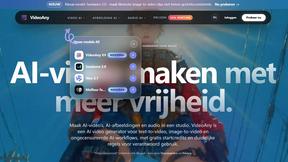
VideoAny BE
Create AI videos from text or images, generate images and audio in one online studio.
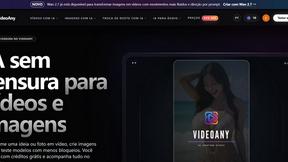
VideoAny BR
Create AI videos from text or images, generate images and audio in one online studio.
HubVanta AI
HubVanta AI helps creators generate images and videos with advanced AI tools for visual content workflows.