

Alternatives to Veo 4 video generator
Veo 4 transforms text, images, or video into studio-quality clips with realistic motion and cinematic detail in seconds.
Explore 10 alternatives to Veo 4 video generator. Compare features, pricing, and find the best fit for your needs.
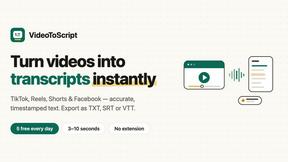
VideoToScript
Turn TikTok, Reels, Shorts, Facebook videos, audio, and video into accurate timestamped transcripts with TXT, SRT, and VTT exports.

UGCad AI
AI UGC video ad Generator which Turn a URL, prompt, or template into a ready video ads


VideoAny BE
Create AI videos from text or images, generate images and audio in one online studio.

VideoAny BR
Create AI videos from text or images, generate images and audio in one online studio.

HubVanta AI
HubVanta AI helps creators generate images and videos with advanced AI tools for visual content workflows.

Vivideo
Vivideo is a free AI video generator that transforms text and images into professional videos up to 10 minutes long using over 30 top AI models.

happy oyster
Happy Oyster AI is a real-time interactive world model for creating, wandering through, and directing persistent AI-generated scenes.

About Veo 4 video generator Alternatives
Veo 4 video generator is a next-generation AI tool in the video creation category, designed to transform text prompts, still images, or existing video clips into studio-quality footage with realistic motion and cinematic detail. It sits at the intersection of generative AI and professional media production, offering creators a way to bypass traditional filming bottlenecks by generating polished, export-ready clips in seconds. While Veo 4 is powerful for its speed and output quality, users often seek alternatives due to specific needs such as different pricing models, a desire for more granular control over scene composition, compatibility with particular editing software, or the need for features not emphasized in Veo 4’s core offering, like advanced character consistency or specific style transfer options. When evaluating alternatives to Veo 4, it is important to look for tools that match your primary use case, whether that is rapid prototyping for social ads, narrative storytelling, or brand asset creation. Key factors include the realism of motion and detail in generated clips, the maximum supported video length for longer narratives, and the flexibility of input methods such as text, image, and video. Additionally, consider the tool’s export quality, absence of watermarks, integration with existing workflows, and whether it supports the volume and turnaround time your projects demand. A strong alternative should close the gap between concept and publishable media as effectively as Veo 4, while offering the specific customization or pricing structure that aligns with your team’s resources.
FAQs about Veo 4 video generator Alternatives
What is Veo 4 video generator?
Veo 4 is a next-generation AI video generator that turns text, images, or video into studio-quality clips with realistic motion and cinematic detail in seconds. It supports three core creation paths: text to video, image to video, and video to video, allowing users to start with a simple prompt, a still image, or an existing clip. The tool is built for speed and clarity, delivering smoother motion, cleaner framing, and longer scenes suitable for real-world marketing and creative projects. It is designed to shorten the gap between concept and publishable media, making it a practical production-ready solution.
Who is Veo 4 video generator for?
Veo 4 is built for creators, marketers, and brands who need to produce high-quality video content rapidly. It is especially useful for marketing and creative teams working on product launches, paid social ads, branded storytelling, and short-form content. The tool is intended for professionals who require first drafts quickly, want to compare variations, and need clean exports that move directly into editing workflows or landing pages. Anyone who needs stronger video faster without sacrificing cinematic detail will find Veo 4 relevant to their workflow.
Is Veo 4 video generator free?
The provided content does not specify a free tier or pricing model for Veo 4. It is described as a practical, production-ready solution with global access and no watermark on outputs, which suggests it is available for professional use. Users should check the official platform for current pricing, subscription options, or free trial availability. The tool is positioned as a serious tool for marketing and creative teams, so it is likely offered through a paid plan.
What are the main features of Veo 4 video generator?
Veo 4 offers three core creation paths: text to video, image to video, and video to video, enabling flexible input methods. It focuses on delivering ultra-realistic motion, longer scenes, and cinematic detail that can be used in real-world projects. The tool supports longer clips for narrative sequences and campaign concepts, with clean exports that move directly into editing workflows or landing pages. Additional features include global access, no watermark on outputs, and the ability to produce first drafts and compare variations quickly.