

Alternatives to QuickTextTools
QuickTextTools provides over 76 free, browser-based utilities to instantly process text without sign-ups, enhancing productivity for writers and.
Explore 20 alternatives to QuickTextTools. Compare features, pricing, and find the best fit for your needs.
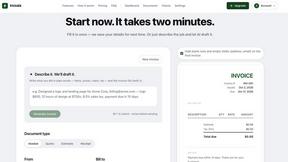
invoala
Invoala is a free invoice, quote and estimate generator: you fill in a form and download a professional A4 PDF, with no sign-up and no credit card nee
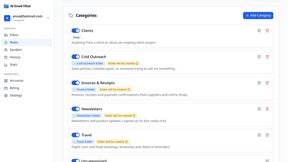
AI Email Filter
AI Email Filter sorts incoming mail into folders using plain-language prompts you write. Works with any IMAP mailbox; bring your own LLM if you want.

Product Launch Checklist
A free launch checklist for SaaS, apps, AI tools and more. Every step says why it matters and when you can skip it.

Kody Tools
Free collection of online developer utilities, code formatters, and digital converters designed to streamline your daily workflow.
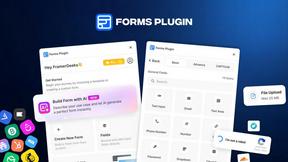
Forms Plugin
The #1 Native Form Builder Plugin for Framer - No Code, No Embeds, No External Platforms.



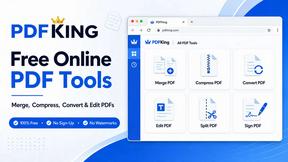
PDFKing
Free all-in-one online PDF toolkit to convert, compress, merge, split, edit, organize and protect PDF files quickly and securely.

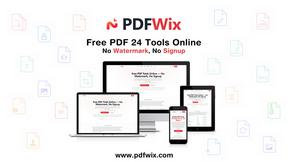
PDFWix
PDFWix solves the challenge of managing PDF documents by providing free, secure, and easy-to-use tools for editing, converting, compressing and more..
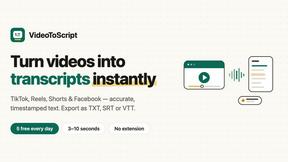
VideoToScript
Turn TikTok, Reels, Shorts, Facebook videos, audio, and video into accurate timestamped transcripts with TXT, SRT, and VTT exports.



Wisegrid
Wisegrid helps project-driven teams manage projects, workflows, resources, and reporting in a familiar spreadsheet-style workspace.


Postqued
Schedule and publish social content across 10 platforms with one dashboard, API, and MCP built for teams and AI agents.

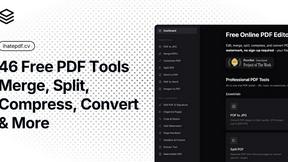
ihatepdf.cv
ihatepdf.cv is a privacy-first, browser-based PDF platform that provides an extensive suite of tools for editing, converting, compressing, organizing,
About QuickTextTools Alternatives
QuickTextTools is a free, online productivity platform that belongs to the productivity and management software category, offering over 76 browser-based utilities specifically designed for writers, marketers, SEO professionals, and content creators. Users commonly search for alternatives due to a variety of practical needs, such as seeking more advanced or specialized features that go beyond basic text formatting and keyword management, requiring integration with other software tools or APIs, or wanting a different user interface or workflow that aligns better with their specific team processes. Additionally, some users may be looking for desktop applications for offline access, or they might need enterprise-level features like team collaboration, advanced analytics, or custom reporting that a free, browser-based tool may not provide. When evaluating alternatives to QuickTextTools, it is important to consider several key factors to ensure the new tool meets your specific requirements. First, assess the breadth and depth of the utilities offered, looking for a platform that covers your most frequent tasks, such as text case conversion, meta tag analysis, keyword cleaning, or writing assistance. Second, evaluate the user experience, including the speed, ease of navigation, and the availability of batch processing or bulk operations that can save significant time. Third, consider privacy and security standards, ensuring the tool operates locally in your browser or has clear data handling policies, especially if you are processing sensitive content. Finally, examine the pricing model and any limitations on usage, as some alternatives may offer free tiers with restricted features or require subscriptions for advanced functionality.
FAQs about QuickTextTools Alternatives
What is QuickTextTools?
QuickTextTools is a free, user-friendly online platform that provides over 76 browser-based utilities designed to enhance productivity for writers, marketers, developers, students, SEO professionals, and content creators. It includes a comprehensive toolkit with features such as text formatting tools, SEO analysis utilities, writing assistants, keyword management tools, and developer utilities. The platform operates directly in your browser without requiring any complicated setups or software downloads, making it accessible from any device with an internet connection.
Who is QuickTextTools for?
QuickTextTools is designed for a wide range of users including writers, marketers, developers, students, SEO professionals, and content creators who need to streamline their text-related workflows. It is particularly useful for individuals who regularly handle tasks such as cleaning up keyword lists, analyzing SEO meta tags, converting text case formatting, or improving their writing process. The platform's simplicity and breadth of tools make it suitable for both beginners and experienced professionals looking to save time and work more efficiently.
Is QuickTextTools free?
Yes, QuickTextTools is a completely free online platform that offers all of its 76+ utilities without any cost to the user. There are no hidden fees, subscription plans, or paywalls for accessing the core functionality of the tools. This makes it an accessible and cost-effective solution for individuals and small teams who need reliable text and SEO utilities without a financial investment.
What are the main features of QuickTextTools?
QuickTextTools offers a diverse set of features categorized into text formatting tools, SEO analysis utilities, writing assistants, keyword management tools, and developer utilities. Specific examples include tools for converting text case, analyzing SEO meta tags, cleaning and organizing keyword lists, and improving writing quality. All tools are designed to be fast, easy-to-use, and privacy-focused, operating directly in your browser to ensure a secure and hassle-free experience without the need for software downloads.