

Alternatives to Scheduler.social
Scheduler.social automates social media marketing with AI-driven scheduling, collaboration, and content creation for effective growth.
Explore 20 alternatives to Scheduler.social. Compare features, pricing, and find the best fit for your needs.
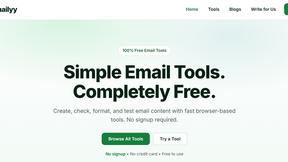
Emailyy
Free email tools for signatures, subject lines, HTML previews, word counts, and email headers. Browser-based, simple to use, and no signup required.

Uniclip
Clip pages, take full-page screenshots and batch-capture list data to Notion, Feishu, Obsidian, Markdown, CSV or JSON.
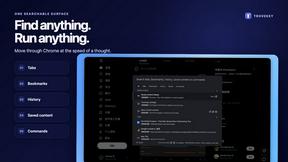
TroveKey
Search tabs, Chrome bookmarks and history, run browser commands, and save webpages and social posts locally—no account.
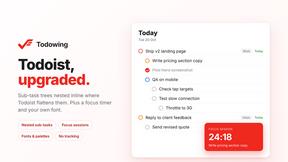
Todowing
Chrome extension that nests Todoist sub-tasks inline in Today, Upcoming, and filter views, with a focus timer, custom fonts, and color palettes.
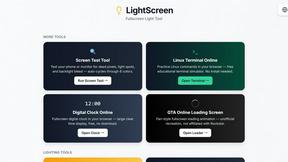
LightScreen
Free light screen tool online. Turn any display into a flashlight, ambient light, or solid-color screen. No download or sign-up.
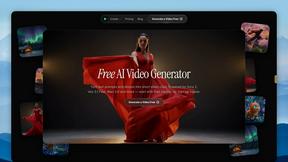
FreeVideoGenerator
Free AI video generator: turn text prompts and photos into video clips with Sora 2, Veo 3.1, Wan and more. Free starter credits, no watermark download
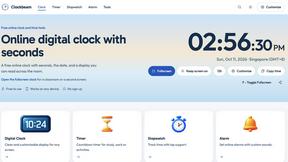
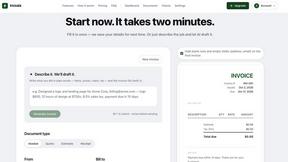
invoala
Invoala is a free invoice, quote and estimate generator: you fill in a form and download a professional A4 PDF, with no sign-up and no credit card nee
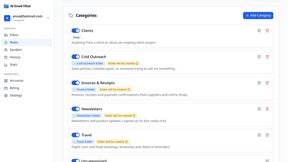
AI Email Filter
AI Email Filter sorts incoming mail into folders using plain-language prompts you write. Works with any IMAP mailbox; bring your own LLM if you want.

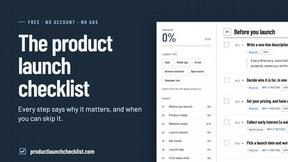
Product Launch Checklist
A free launch checklist for SaaS, apps, AI tools and more. Every step says why it matters and when you can skip it.
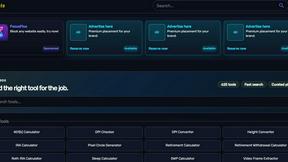
Kody Tools
Free collection of online developer utilities, code formatters, and digital converters designed to streamline your daily workflow.
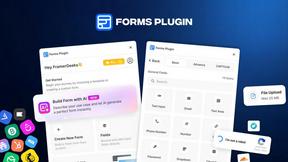
Forms Plugin
The #1 Native Form Builder Plugin for Framer - No Code, No Embeds, No External Platforms.



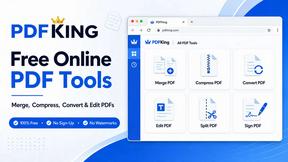
PDFKing
Free all-in-one online PDF toolkit to convert, compress, merge, split, edit, organize and protect PDF files quickly and securely.

About Scheduler.social Alternatives
Scheduler.social is an AI-powered social media marketing platform that falls within the productivity and management software category. It is designed to help brands, creators, and teams automate scheduling, generate content ideas, and collaborate across major social networks like X, LinkedIn, Facebook, and YouTube. While the platform offers a robust suite of tools for streamlining workflows and scaling growth, users often seek alternatives for a variety of reasons. Common motivations include the need for a more budget-friendly pricing structure, a desire for deeper integrations with niche platforms, or the requirement for advanced analytics and reporting features that may not be fully covered by the current offering. When evaluating a replacement for Scheduler.social, businesses should prioritize several key factors to ensure the new tool aligns with their specific operational needs. First, assess the breadth of social network support to confirm the platform covers all channels relevant to your audience. Second, examine the intelligence of the AI features, particularly in content adaptation and idea generation, to see if they match your creative workflow. Third, consider the collaboration tools available, such as approval workflows and team permissions, which are critical for larger marketing teams. Finally, look into the pricing model and scalability of the solution to ensure it can grow with your business without unexpected cost increases, while also checking for robust customer support and data security measures. By focusing on these criteria, you can find a tool that serves as a capable and tailored replacement for your social media management tasks.
FAQs about Scheduler.social Alternatives
What is Scheduler.social?
Scheduler.social is an AI-powered social media marketing platform that automates scheduling, content creation, and collaboration across multiple social networks. It helps brands, creators, and teams streamline their social media management by using intelligent automation to generate content ideas and adapt posts for different platforms. The platform supports major channels such as X, LinkedIn, Facebook, YouTube, Pinterest, and Bluesky, transforming social media management into a more efficient growth engine.
Who is Scheduler.social for?
Scheduler.social is designed for brands, content creators, and marketing teams who want to automate and scale their social media presence. It is particularly useful for users who need to manage multiple social accounts simultaneously and require AI-driven assistance to reduce manual tasks. The platform also caters to teams that need collaboration features, such as shared content calendars and approval workflows, to maintain consistency across their social media efforts.
What are the main features of Scheduler.social?
The main features of Scheduler.social include AI-driven content scheduling, automated post adaptation for different social platforms, and intelligent content idea generation. It also offers a user-friendly dashboard for planning and publishing content, as well as team collaboration tools that facilitate seamless workflow management. Additionally, the platform supports major social networks like X, LinkedIn, Facebook, YouTube, Pinterest, and Bluesky, enabling users to manage all their channels from a single interface.
Is Scheduler.social secure?
Scheduler.social is designed with security in mind, implementing standard protocols to protect user data and account information during social media management. The platform uses secure authentication methods to connect with various social networks, ensuring that credentials and content are handled safely. While specific security certifications may vary, the platform typically follows industry best practices for data encryption and access controls to safeguard against unauthorized access.