

Alternatives to Square Face Generator
Square Face Generator is a free browser-based avatar maker that lets you mix parts, pick colors, and download transparent PNG icons without any login.
Explore 20 alternatives to Square Face Generator. Compare features, pricing, and find the best fit for your needs.

Face Swap Video
Create a face swap video from your photos. Explore trending dance, runway and music video templates, choose a format, and make yourself the star.

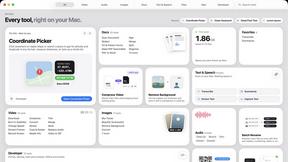
Toolbox
96 private Mac tools in one app: compress video, sign PDFs, remove backgrounds, transcribe. Offline, no account, pay once.
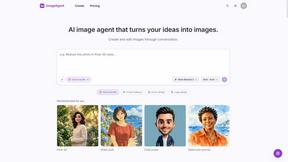
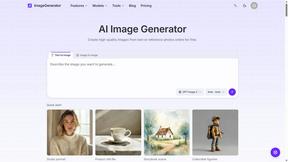
ImageGenerator
Create and edit AI images online with multiple models, text-to-image, image-to-image, background removal, and upscaling.

Dola AI
Freemium AI creative studio: generate images and videos, edit photos and films, compose 3D scenes, and work with docs, sheets, slides and PDFs.
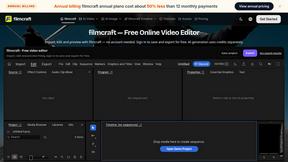
filmcraft
Free online video editor in your browser: import, color, audio and preview with no account. Optional AI tools use credits.
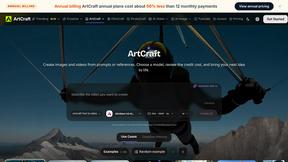
ArtCraft
Browser creative studio for images, video and 3D: compose, edit, stage scenes and organize references. AI generation uses credits.
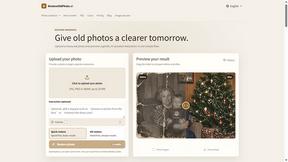
RestoreOldPhoto
Restore old photos with RestoreOldPhoto.ai: repair scratches, creases and fading, sharpen faces and details, and optionally colorize family memories.
GenX
All-in-one AI workspace to generate images, videos, and audio with multiple leading AI models.
AiAgeFilter
Free AI age filter: upload an adult portrait, add 10-40 years, meet your older self. No app needed.

AppIconGenerator
Generate iOS and Android app icons from any image and export all platform sizes for free.
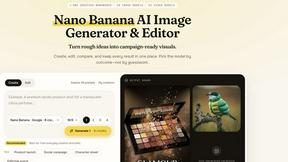
Nano AI
Create and edit AI images, generate videos, and compare models in one creative workbench.
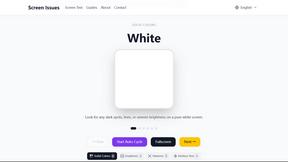
Screen Issues
Free Online Screen Test Tool - Instantly diagnose dead pixels, lines, color issues, and flickering. Multiple test modes, no download needed.

FreeVideoGenerator
Free AI video generator: turn text prompts and photos into video clips with Sora 2, Veo 3.1, Wan and more. Free starter credits, no watermark download
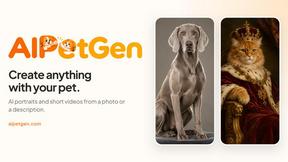
AIPetGen
AIPetGen turns a photo of your dog, cat, or other pet, or a written description, into a new picture or a short animation.

PixBanana
AI image generation with a free daily generation and pay-per-use credits - no subscription needed.

StyleCut
StyleCut is an AI hairstyle changer that lets you preview 70+ haircut ideas on your own photo before visiting the salon.
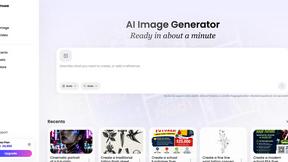
Vismuse
Create polished AI images and videos from prompts or references for social posts, ads, flyers, album covers, and campaigns.
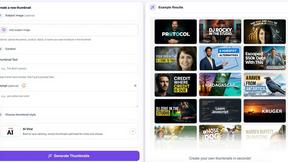
StopScroll
AI YouTube thumbnail maker that helps creators generate high-click thumbnails faster.
About Square Face Generator Alternatives
Square Face Generator is a free, browser-based avatar creation tool that belongs to the image generation and photo editing category. It draws inspiration from classic Japanese Flash doll makers and the popular Picrew platform, offering users a nostalgic yet modern way to build unique, square-shaped character portraits. The tool provides over 200 customizable parts across 12 categories, including skin tones, hairstyles, eyes, accessories, and outfits, allowing for millions of possible combinations. Users commonly seek alternatives to Square Face Generator for a variety of reasons. Some may require more advanced editing features, such as layer manipulation or export in higher resolutions, which a dedicated desktop application might offer. Others might need a tool that supports commercial licensing for their creations, or they may prefer a platform with a larger library of pre-made assets, different art styles, or integrated social sharing capabilities. When evaluating an alternative, look for a tool that balances ease of use with the depth of customization you need, offers clear privacy policies regarding your data and creations, and supports the file formats and resolution required for your specific project, whether for personal use, social media, or professional design work.
FAQs about Square Face Generator Alternatives
What is Square Face Generator?
Square Face Generator is a free, browser-based avatar maker inspired by classic Japanese Flash doll makers and Picrew. It focuses on creating charming square-shaped faces by allowing users to combine over 200 customizable parts from 12 categories, including skin tones, hairstyles, eyes, accessories, and outfits. The tool works entirely in your browser and is responsive across desktop, tablet, and phone devices.
Who is Square Face Generator for?
Square Face Generator is designed for anyone who enjoys creating personalized avatars with a nostalgic, doll-maker aesthetic. It is ideal for casual users, artists, and social media enthusiasts who want a quick, fun way to generate unique character portraits without downloading software. The tool is also great for those who appreciate the Picrew-style format but prefer a free, browser-based alternative focused on square-shaped faces.
Is Square Face Generator free?
Yes, Square Face Generator is completely free to use. There are no hidden costs, subscription fees, or paywalls for accessing the full range of over 200 customizable parts across all 12 categories. All features are available at no charge, making it an accessible option for anyone looking to create custom avatars.
Is Square Face Generator secure?
Yes, Square Face Generator is designed with user privacy in mind. All rendering and processing happen locally within your browser, meaning none of your created images or personal data ever leave your device. This local processing ensures that your designs remain private and are not uploaded to any external server, providing a secure experience for all users.