

Alternatives to Tagada
Tagada lets you parse, highlight, and categorize Gmail emails locally on your device for private, efficient organization.
Explore 20 alternatives to Tagada. Compare features, pricing, and find the best fit for your needs.

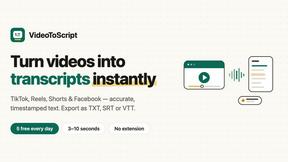
VideoToScript
Turn TikTok, Reels, Shorts, Facebook videos, audio, and video into accurate timestamped transcripts with TXT, SRT, and VTT exports.



Wisegrid
Wisegrid helps project-driven teams manage projects, workflows, resources, and reporting in a familiar spreadsheet-style workspace.


Postqued
Schedule and publish social content across 10 platforms with one dashboard, API, and MCP built for teams and AI agents.
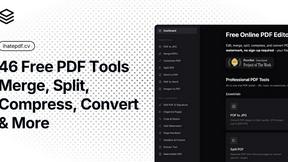
ihatepdf.cv
ihatepdf.cv is a privacy-first, browser-based PDF platform that provides an extensive suite of tools for editing, converting, compressing, organizing,
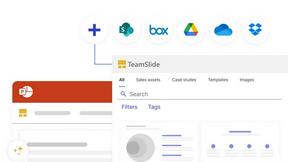
TeamSlide
TeamSlide lets your team build on-brand presentations instantly by syncing approved slides from your content system directly into PowerPoint.
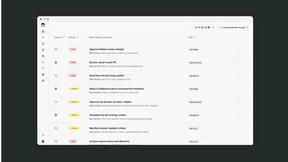
readywhen
readywhen automatically captures your decisions and commitments from tools you already use, then drafts your next steps so you just approve.

Caesura
Caesura is a macOS menu-bar app that reminds you to drink water, stretch, rest your eyes, and breathe at science-backed intervals.

Vibeworker
Vibeworker uses AI to instantly score every new Upwork job against your profile and strategy, sending you only the best opportunities.
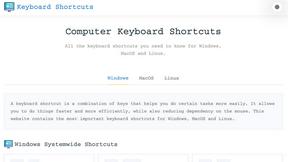
Online Keyboard Shortcuts
OnlineShortcuts.com provides a comprehensive, cross-platform reference for essential Windows, macOS, and Linux keyboard shortcuts to boost.

MacBrightness
MacBrightness unlocks your Mac's hidden brightness range, giving you up to 1,600 nits for clear outdoor visibility using your existing keys.
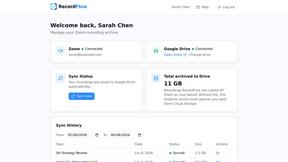
RecordFlow
RecordFlow automatically saves Zoom cloud recordings to Google Drive and optionally deletes them from Zoom to free storage.

Vendbuddy
VendBuddy simplifies vending operations by locating machines, generating contracts, and tracking revenue, enabling effortless income generation.

SubcueAI
SubcueAI is a real-time AI interview assistant for macOS and Windows that captures audio from video calls and provides intelligent answer suggestions.

LaunchPact
LaunchPact connects founders launching near the same date to form mutual upvote pacts for verified Product Hunt momentum.
About Tagada Alternatives
Tagada is a browser extension designed for productivity and email management, helping users parse, categorize, and highlight data from Gmail messages entirely on their own device. It belongs to the productivity tools category, specifically focusing on streamlining email workflows for professionals who handle high volumes of correspondence. Users commonly look for alternatives to Tagada due to specific needs such as different pricing models, the desire for additional features like advanced integrations with other platforms, or compatibility requirements with email clients beyond Gmail. Others may seek tools that offer more collaborative features or different approaches to email structuring and response generation. When choosing an alternative to Tagada, it is important to evaluate how the tool handles data privacy and processing, as Tagada emphasizes 100% local processing without cloud reliance. You should also consider the specific features that match your workflow, such as the ability to highlight, tag, and categorize email content, as well as how the tool integrates into your existing email interface without requiring a steep learning curve. Pricing models, platform support beyond Gmail, and the availability of auto-generated reply templates are additional factors to weigh, ensuring the alternative aligns with your need for efficiency, clarity, and data security.
FAQs about Tagada Alternatives
What is Tagada?
Tagada is a browser extension that transforms how you read and reply to emails in Gmail. It parses incoming emails into clickable sentences that you can highlight, tag, and organize by category in a single click. Instead of writing replies in colored text inside the original message, Tagada generates a clean reply template built around the points that matter, helping you respond faster and more clearly.
Who is Tagada for?
Tagada is ideal for professionals, support teams, freelancers, consultants, and anyone managing long email threads. It is designed for users who need to cut response time, structure their replies, and keep their data fully private while working directly inside Gmail.
Is Tagada free?
The provided content does not specify whether Tagada is free or has a paid pricing model. Users should check the official Tagada website or product listing for the most current pricing information, including any free tiers, trial periods, or subscription plans.
What are the main features of Tagada?
Tagada offers instant parsing of emails into selectable sentences, one-click highlighting and tagging by category, and auto-generated reply templates from your selections. It processes all data 100% locally with no AI, no cloud, and no third-party servers, and it works directly inside Gmail without requiring you to learn a new tool.