

Alternatives to Vivideo
Vivideo is a free AI video generator that transforms text and images into professional videos up to 10 minutes long using over 30 top AI models.
Explore 20 alternatives to Vivideo. Compare features, pricing, and find the best fit for your needs.

Genjutsu
Explore runway, dance, music and object video templates. Compare source and remix examples, upload your reference photos and create a new version.

Face Swap Video
Create a face swap video from your photos. Explore trending dance, runway and music video templates, choose a format, and make yourself the star.

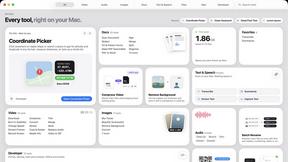
Toolbox
96 private Mac tools in one app: compress video, sign PDFs, remove backgrounds, transcribe. Offline, no account, pay once.

AI Tiny Desk
Make a 19-second desk-concert video with lead and sax, full band, Halloween or pet-band modes; audio and silent MP4.
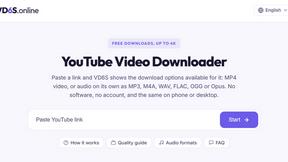
VD6S
VD6S is a free online YouTube video downloader that supports HD, 4K and up to 8K downloads. Save videos in MP4 or audio in multiple formats.
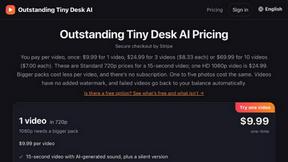
Outstanding Tiny Desk AI
Upload photos of you and up to 4 friends and get a 15-second Outstanding Tiny Desk AI video with AI-generated sound, in 9:16 for TikTok and Reels.

Tip Toeing in My Jordans
Upload a photo and get a 12-second Tip Toeing in My Jordans video: you play the AI Rumpelstiltskin, a friend can play the woman in the hay.
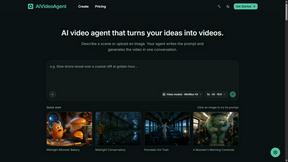
AIVideoAgent
AIVideoAgent helps you explore AI video models for everyday visual work, in a browser-based creative workspace.

Dola AI
Freemium AI creative studio: generate images and videos, edit photos and films, compose 3D scenes, and work with docs, sheets, slides and PDFs.
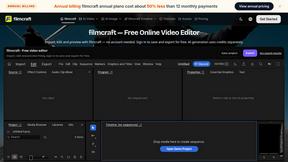
filmcraft
Free online video editor in your browser: import, color, audio and preview with no account. Optional AI tools use credits.

ArtCraft
Browser creative studio for images, video and 3D: compose, edit, stage scenes and organize references. AI generation uses credits.

GenX
All-in-one AI workspace to generate images, videos, and audio with multiple leading AI models.

Nano AI
Create and edit AI images, generate videos, and compare models in one creative workbench.
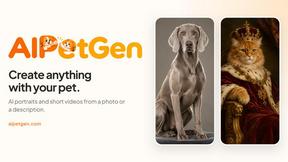
AIPetGen
AIPetGen turns a photo of your dog, cat, or other pet, or a written description, into a new picture or a short animation.

Slide-Easy
A Mac app that turns your App Store link into a week of Instagram Reels and carousels, written from your real reviews.


About Vivideo Alternatives
Vivideo is an AI-powered video generation platform that belongs to the rapidly growing category of automated video creation tools. It enables users to transform text prompts, scripts, articles, or uploaded images into fully produced videos complete with visuals, voiceovers, subtitles, music, and transitions, all within a streamlined workflow. While Vivideo offers powerful capabilities for creating short-form content for platforms like TikTok, Instagram Reels, and YouTube Shorts, users often seek alternatives for a variety of reasons. These can include differences in pricing structures, a need for more advanced editing controls, specific platform integrations, access to different stock asset libraries, or a desire for unique AI models that produce distinct visual styles or support particular languages or niches. When evaluating alternatives to Vivideo, it is important to consider several key factors to ensure the new tool meets your specific requirements. First, assess the core output quality and speed, including the resolution options available, such as HD or 4K export. Second, examine the breadth of customization features, including the ability to fine-tune voiceover accents, adjust subtitle timing, and control aspect ratios for various social media formats. Third, review the pricing model to see if it aligns with your budget and usage volume, whether that is a subscription, pay-per-credit, or freemium model. Finally, consider the platform’s ease of use and the quality of its customer support, as these elements can significantly impact your production workflow and overall satisfaction with the tool.
FAQs about Vivideo Alternatives
What is Vivideo?
Vivideo is an advanced AI video generator that turns text or images into engaging videos quickly. It uses multiple AI video models and a library of millions of stock assets to automatically produce visuals, voiceovers, subtitles, music, and transitions. The platform is designed to streamline video production for creators, marketers, businesses, and educators who need high-quality content for social media, marketing campaigns, and tutorials.
Who is Vivideo for?
Vivideo is built for a wide range of users including content creators, marketers, business owners, and educators. It is especially useful for those who need to produce professional-looking videos rapidly without extensive editing skills. The platform supports the creation of content for TikTok, Instagram Reels, YouTube Shorts, product promotions, and instructional videos, making it suitable for both individual creators and teams.
Is Vivideo free?
Based on the provided product information, Vivideo is a paid service that offers HD and 4K exports, indicating a premium pricing model. While specific free trial or freemium options are not detailed in the content, many AI video tools in this category typically offer limited free tiers or trial credits. Users should check the official Vivideo website for the most current pricing and availability of free usage options.
What are the main features of Vivideo?
Vivideo's main features include text-to-video and image-to-video generation, multilingual AI voiceovers, automatic captions and subtitles, customizable aspect ratios, and HD/4K export capabilities. It is powered by multiple AI video models and supported by millions of stock assets. The platform also provides an intuitive editing workflow that automatically generates visuals, transitions, and background music to simplify the entire video production process.