
Push My App
Push My App generates optimized metadata and screenshots, scans for rejection risks, and submits directly to both app stores from one dashboard.
Visit
About Push My App
Push My App is an all-in-one platform designed specifically for indie developers and small studios to prepare, optimize, and submit app listings to both the Apple App Store and Google Play Store. The platform eliminates the tedious, time-consuming manual work typically associated with app launches, reducing what traditionally takes days into a process that can be completed in a single afternoon. At its core, Push My App leverages artificial intelligence to generate search-optimized metadata including app names, keywords, descriptions, and release notes, all optimized for App Store Optimization (ASO) in seconds. Beyond metadata generation, the platform offers a comprehensive suite of tools including a Pre-Flight Rejection Scanner that checks your build and listing against over 80 known Apple and Google rejection reasons before submission, an automatic screenshot resizer that converts one set of screenshots into every required device size for both stores, and a full listing translator that converts your content into 14 languages with keywords re-optimized per locale. The platform also handles direct submission to App Store Connect and Google Play Console with a single click, and can even generate a website and support mailbox for your app using your metadata and screenshots. Built by an indie developer for fellow indies, Push My App empowers developers to ship their releases up to five times faster, letting them focus on what they do best: coding.
Features of Push My App
AI-Generated ASO Metadata
The AI-powered metadata engine generates your entire App Store and Play Store listing content in seconds. This includes your app name, subtitle, keywords, descriptions, and release notes, all optimized for search discoverability and conversion. Each element is scored against best practices, with titles rated out of 30, keywords out of 100, and subtitles out of 30, giving you clear visibility into how well your metadata will perform. The AI analyzes current market trends and competitor data to suggest high-value keywords that can improve your app's ranking.
Pre-Flight Rejection Scanner
Before you submit your app to Apple or Google, the Pre-Flight Rejection Scanner thoroughly examines both your binary build and your listing content against a database of over 80 known rejection reasons. This proactive scanning identifies potential blockers such as missing privacy manifests, incorrect permissions, or problematic metadata that could lead to rejection. By catching these issues early, you avoid the frustrating cycle of submission, rejection, and resubmission, saving days or even weeks of back-and-forth with app review teams.
Automatic Screenshot Resizer
Upload a single set of iPhone screenshots, and the platform automatically generates every required device size for both the App Store and Play Store. This eliminates the tedious manual work of resizing, cropping, and reformatting screenshots for different screen sizes and orientations. The tool also supports device frames and dynamic marketing text overlays, allowing you to create professional, consistent visuals across all store listings without needing design software or graphic design skills.
Full Listing Translator with Localized Keywords
Translate your entire app store listing into 14 languages including English, Spanish, German, French, Japanese, Portuguese, and eight more, all with a single click. Crucially, the translation tool does not simply perform a word-for-word conversion; it re-optimizes your keywords for each specific locale, ensuring your app remains discoverable in international markets. This feature is essential for developers looking to expand their app's reach globally without hiring professional translators or ASO specialists for each language.
Use Cases of Push My App
Solo Indie Developer Launching a New App
A solo developer who has spent months coding a productivity app needs to launch on both iOS and Android simultaneously. Instead of spending days writing metadata, resizing screenshots, and manually submitting to two different store consoles, they use Push My App to generate AI-optimized metadata in minutes, auto-resize their screenshots, and submit to both stores with a single click. The Pre-Flight Scanner catches a missing privacy manifest before submission, saving them from a certain rejection. The entire launch process takes an afternoon instead of a week.
Studio Preparing a Major Version Update
A small studio with a popular game is preparing version 2.0 with significant new features. They need to update their store listing with new screenshots, revised descriptions, and release notes across multiple languages. Using Push My App, they upload new iPhone screenshots and the system automatically generates all required device sizes. The AI rewrites their description to highlight new features and optimizes keywords for the updated app. They translate the listing into five target languages with locale-specific keyword optimization. The update is submitted to both stores in under two hours.
Developer Expanding to International Markets
An indie developer with a successful English-language app wants to expand into Spanish, German, and Japanese markets. Instead of hiring translators or struggling with machine translation that ignores ASO, they use Push My App's translation feature. The platform not only translates the full listing but also re-optimizes keywords for each language, ensuring the app appears in relevant search results in each country. The developer can preview all translations side by side before submitting, ensuring quality and consistency across all markets.
Team Using CI/CD Pipeline for Automated Releases
A development team using GitHub Actions and Fastlane for continuous integration wants to streamline their store submission process. They integrate Push My App into their deployment pipeline, automatically generating and updating metadata with each release. The Pre-Flight Scanner runs as part of their CI checks, blocking builds that would be rejected. The team can track version history automatically rather than maintaining a manual spreadsheet, and they can submit to both stores from a single dashboard, significantly reducing the manual overhead of each release cycle.
Frequently Asked Questions
What file formats does Push My App accept for app uploads?
Push My App accepts .ipa files for iOS apps, and .apk or .aab files for Android apps. When you drag and drop your file, the platform automatically extracts the bundle ID, version number, and app icon. It then validates compliance with store requirements and uploads the binary directly to App Store Connect or Google Play Console. This eliminates the need to manually enter metadata or use separate upload tools for each platform.
How does the Pre-Flight Rejection Scanner work?
The Pre-Flight Rejection Scanner analyzes both your app binary and your store listing against a comprehensive database of over 80 known rejection reasons from Apple and Google. It checks for issues such as missing privacy manifests, incorrect permission descriptions, problematic keywords, incomplete metadata fields, and technical compliance problems. The scanner provides a clear score for both App Store and Play Store readiness, along with specific actionable feedback on any blockers found. This allows you to fix issues before submission, avoiding the time-consuming rejection and resubmission cycle.
Can I use Push My App if I already have existing app store listings?
Yes, Push My App is designed to work with both new and existing app listings. You can import your current app metadata and then use the platform to make updates, generate new screenshots, add translations, or prepare new version submissions. The Review and Confirm step shows a diff against your last submission, making it easy to see what has changed. The platform also maintains automatic version history, so you can track all changes across releases without maintaining manual spreadsheets.
How long does it take to complete a submission using Push My App?
For most developers, the entire process from uploading your app file to submitting to both stores takes between 30 minutes and two hours, depending on the complexity of your listing and how many translations you need. The AI generates metadata in seconds, screenshot resizing is instantaneous, translations are completed in minutes, and the direct submission is a single click. Compared to the manual process which typically takes two to three days for metadata writing, one to two hours for keyword research, an hour for screenshot resizing, and 30 minutes each for store uploads, Push My App reduces launch time by approximately five times.
Pricing of Push My App
Push My App offers a free Starter plan with no credit card required, and a 30-day free trial of the Growth plan for users who want to explore advanced features. The free tier provides access to core tools including AI metadata generation and basic submission capabilities. The Growth plan unlocks additional features such as unlimited translations, advanced rejection scanning, and priority support. For specific pricing details on paid plans, users are encouraged to visit the Push My App pricing page on the official website.
Similar to Push My App
CloneWebsite
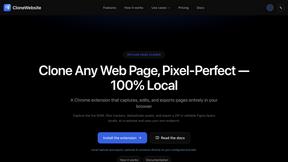
Clone any webpage pixel-perfect, export HTML/CSS/ZIP or React/Vue components.
AppScreen
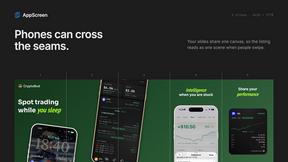
Browser editor for App Store and Google Play screenshots, with iPhone, iPad and Android frames.
ogimagegenerator.dev
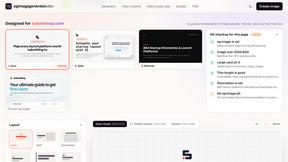
Paste a URL and AI designs on-brand Open Graph images from your page's colours, fonts and logo. Free, no sign-up.
Screen Issues
Free Online Screen Test Tool - Instantly diagnose dead pixels, lines, color issues, and flickering. Multiple test modes, no download needed.
Ecommerce Data API
Amazon research data APIs for developers, sellers and AI agents. Integrate product, keyword and market research through REST APIs and MCP.