

Alternatives to Caesura
Caesura is a macOS menu-bar app that reminds you to drink water, stretch, rest your eyes, and breathe at science-backed intervals.
Explore 20 alternatives to Caesura. Compare features, pricing, and find the best fit for your needs.


GigUp
GigUp helps freelancers discover relevant Upwork jobs through AI matching, automated monitoring, and instant alerts.
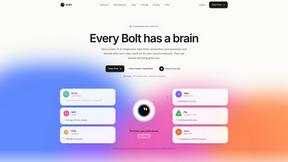
Bolts
AI employees with a brain that think, remember your business and work 24/7 on their own cloud computers.
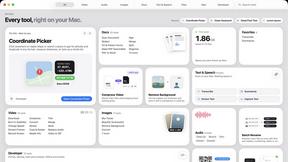
Toolbox
96 private Mac tools in one app: compress video, sign PDFs, remove backgrounds, transcribe. Offline, no account, pay once.

Safe Outreach
AI-powered platform that evaluates the safety of LinkedIn automation tools and helps reduce the risk of account restrictions.

ConnectMachine
Still handing out paper business cards? ConnectMachine is a free digital business card that saves straight into the other person's contacts.


Two-Minute Drill
A free daily football strategy game: call the plays in real NFL late-game situations, manage the clock, and see how your decisions grade.

Emailyy
Free email tools for signatures, subject lines, HTML previews, word counts, and email headers. Browser-based, simple to use, and no signup required.

Uniclip
Clip pages, take full-page screenshots and batch-capture list data to Notion, Feishu, Obsidian, Markdown, CSV or JSON.

TroveKey
Search tabs, Chrome bookmarks and history, run browser commands, and save webpages and social posts locally—no account.


Bloom
An adaptive AI tutor that turns topics or your materials into courses, lessons, and answers tailored to how you learn.
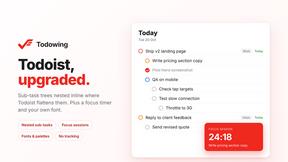
Todowing
Chrome extension that nests Todoist sub-tasks inline in Today, Upcoming, and filter views, with a focus timer, custom fonts, and color palettes.

LightScreen
Free light screen tool online. Turn any display into a flashlight, ambient light, or solid-color screen. No download or sign-up.

FreeVideoGenerator
Free AI video generator: turn text prompts and photos into video clips with Sora 2, Veo 3.1, Wan and more. Free starter credits, no watermark download

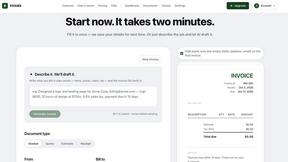
invoala
Invoala is a free invoice, quote and estimate generator: you fill in a form and download a professional A4 PDF, with no sign-up and no credit card nee

AI Email Filter
AI Email Filter sorts incoming mail into folders using plain-language prompts you write. Works with any IMAP mailbox; bring your own LLM if you want.
About Caesura Alternatives
Caesura is a macOS menu-bar application designed to help desk workers maintain their physical well-being throughout long workdays. It falls into the overlapping categories of health, productivity, and personal development, offering gentle reminders to drink water, stretch, rest your eyes, check your posture, and breathe. Users often look for alternatives to Caesura for a few common reasons: they may be seeking a free or one-time purchase pricing model instead of a subscription, they might need a cross-platform solution that works on Windows or Linux, or they could require more customizable or aggressive reminder systems that Caesura’s calm philosophy does not provide. Some users also look for alternatives if they prefer a more feature-rich application with integrations like calendar blocking or detailed analytics. When choosing an alternative to Caesura, you should first consider your operating system and whether you need a standalone app or a browser-based solution. Evaluate the reminder scheduling flexibility—some tools allow for very granular intervals, while others follow preset routines. If you value minimal interruption, look for apps that coalesce reminders or allow silent, non-intrusive notifications. Pricing is another key factor: decide whether a one-time purchase, a subscription, or a completely free app fits your budget. Finally, consider the specific health focus you need, such as dedicated eye exercises, posture tracking via webcam, or guided breathing sessions, as different tools emphasize different aspects of desk wellness.
FAQs about Caesura Alternatives
What is Caesura?
Caesura is a calm, menu-bar break manager built specifically for macOS. It is designed for people who spend long days at a desk and need gentle reminders to drink water, walk, stretch their wrists, rest their eyes, check their posture, and breathe. The app operates entirely from the menu bar with no clutter or accounts required, providing timely nudges that help maintain health without breaking focus.
Who is Caesura for?
Caesura is for anyone working long hours at a desk, including remote workers, programmers, designers, writers, and students. It is particularly suited for individuals who want to maintain their physical well-being during extended screen time but prefer a minimalist, non-intrusive tool over more complex health apps. The app’s calm design makes it ideal for users who dislike aggressive notifications or feature-heavy software.
Is Caesura free?
Caesura offers a 14-day free trial so you can test its features before committing. After the trial period, a paid subscription is required to continue using the app. The pricing model is subscription-based, and there are no hidden fees or account sign-ups required during the trial. Details on subscription tiers and pricing can be found on the official Caesura website.
What are the main features of Caesura?
Caesura’s main features include independent schedules for reminders like drinking water, walking, stretching wrists, resting eyes, checking posture, and breathing. It intelligently coalesces multiple reminders that fall close together into one single, gentle break to avoid interrupting you twice in a row. The app operates entirely from the macOS menu bar, requires no accounts, and focuses on delivering timely, clutter-free nudges that support long-term desk wellness.