

Alternatives to Online Keyboard Shortcuts
OnlineShortcuts.com provides a comprehensive, cross-platform reference for essential Windows, macOS, and Linux keyboard shortcuts to boost.
Explore 20 alternatives to Online Keyboard Shortcuts. Compare features, pricing, and find the best fit for your needs.


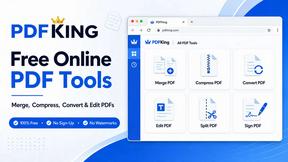
PDFKing
Free all-in-one online PDF toolkit to convert, compress, merge, split, edit, organize and protect PDF files quickly and securely.

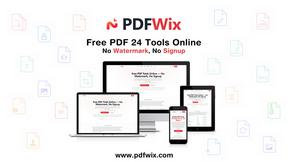
PDFWix
PDFWix solves the challenge of managing PDF documents by providing free, secure, and easy-to-use tools for editing, converting, compressing and more..

VideoToScript
Turn TikTok, Reels, Shorts, Facebook videos, audio, and video into accurate timestamped transcripts with TXT, SRT, and VTT exports.



Wisegrid
Wisegrid helps project-driven teams manage projects, workflows, resources, and reporting in a familiar spreadsheet-style workspace.


Postqued
Schedule and publish social content across 10 platforms with one dashboard, API, and MCP built for teams and AI agents.

ihatepdf.cv
ihatepdf.cv is a privacy-first, browser-based PDF platform that provides an extensive suite of tools for editing, converting, compressing, organizing,


TeamSlide
TeamSlide lets your team build on-brand presentations instantly by syncing approved slides from your content system directly into PowerPoint.

readywhen
readywhen automatically captures your decisions and commitments from tools you already use, then drafts your next steps so you just approve.

Caesura
Caesura is a macOS menu-bar app that reminds you to drink water, stretch, rest your eyes, and breathe at science-backed intervals.

Vibeworker
Vibeworker uses AI to instantly score every new Upwork job against your profile and strategy, sending you only the best opportunities.

MacBrightness
MacBrightness unlocks your Mac's hidden brightness range, giving you up to 1,600 nits for clear outdoor visibility using your existing keys.

RecordFlow
RecordFlow automatically saves Zoom cloud recordings to Google Drive and optionally deletes them from Zoom to free storage.
About Online Keyboard Shortcuts Alternatives
Online Keyboard Shortcuts is a comprehensive reference resource categorized under Productivity and Management tools, designed to provide users with a complete list of essential keyboard shortcuts for Windows, macOS, and Linux operating systems. By compiling these shortcuts into a single, accessible location, the product helps users perform common tasks more efficiently, reducing their reliance on the mouse and accelerating their daily workflow. Users often seek alternatives to this type of resource for several key reasons, including the need for a more interactive learning experience, such as built-in practice modes or progress tracking, a desire for platform-specific advanced shortcuts not covered in the general list, or the requirement for offline access without an internet connection. Others may look for alternatives that offer integration with specific software applications or provide customizable shortcut mapping features. When evaluating an alternative to Online Keyboard Shortcuts, it is important to consider the breadth and accuracy of the shortcut database across all three major operating systems. Look for a solution that offers a user-friendly interface, whether it is a website, a downloadable application, or a browser extension, and check if it supports search functionality or categorization by task to make finding specific shortcuts quick and easy. Additionally, consider whether the alternative provides learning aids like visual diagrams, video tutorials, or a community forum for tips, as these features can significantly enhance the learning process. Finally, assess the platform compatibility and update frequency of the resource, ensuring it stays current with the latest versions of Windows, macOS, and Linux to remain a reliable tool for boosting your productivity.
FAQs about Online Keyboard Shortcuts Alternatives
What is Online Keyboard Shortcuts?
Online Keyboard Shortcuts is a web-based reference resource that compiles the most important keyboard shortcuts for Windows, macOS, and Linux operating systems. It provides a curated list of key combinations that help users perform tasks more easily and efficiently by reducing dependency on the mouse. The resource is organized to help users quickly find shortcuts for common actions, making it a practical tool for improving daily productivity.
Who is Online Keyboard Shortcuts for?
Online Keyboard Shortcuts is designed for a wide range of users, including beginners who want to learn basic shortcuts to speed up their workflow, as well as experienced professionals who need a quick reference for advanced key combinations. It is ideal for anyone who uses Windows, macOS, or Linux and wants to reduce mouse usage, increase efficiency, and accomplish tasks faster. The resource is also helpful for IT support staff, trainers, and students who are learning to navigate different operating systems.
Is Online Keyboard Shortcuts free?
Based on the provided product description, Online Keyboard Shortcuts is a website that contains a list of important keyboard shortcuts, and it is generally available as a free online resource. Users can access the content without any upfront cost, making it an accessible tool for anyone with an internet connection. There is no mention of a premium tier or subscription fees in the provided information, suggesting the core functionality is offered at no charge.
What are the main features of Online Keyboard Shortcuts?
The main feature of Online Keyboard Shortcuts is its comprehensive collection of keyboard shortcuts for three major operating systems: Windows, macOS, and Linux. It organizes these shortcuts into a single, easy-to-navigate website, allowing users to quickly find the key combinations they need for various tasks. The resource focuses on the most important shortcuts, helping users save time and work more efficiently by minimizing their reliance on the mouse. It serves as a straightforward, no-frills reference guide for boosting productivity.