

Alternatives to Very Good Calendar Sync
Very Good Calendar Sync quietly keeps your work, personal, and client calendars aligned on your Mac without linking accounts or exposing sensitive.
Explore 20 alternatives to Very Good Calendar Sync. Compare features, pricing, and find the best fit for your needs.
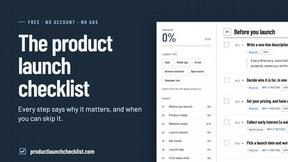
Product Launch Checklist
A free launch checklist for SaaS, apps, AI tools and more. Every step says why it matters and when you can skip it.
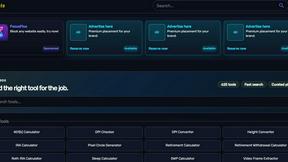
Kody Tools
Free collection of online developer utilities, code formatters, and digital converters designed to streamline your daily workflow.
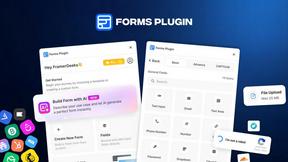
Forms Plugin
The #1 Native Form Builder Plugin for Framer - No Code, No Embeds, No External Platforms.



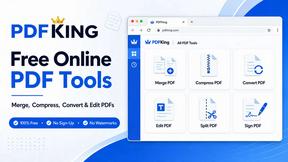
PDFKing
Free all-in-one online PDF toolkit to convert, compress, merge, split, edit, organize and protect PDF files quickly and securely.

PDFWix
PDFWix solves the challenge of managing PDF documents by providing free, secure, and easy-to-use tools for editing, converting, compressing and more..
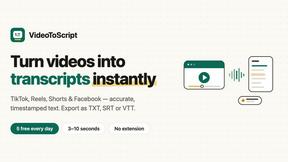
VideoToScript
Turn TikTok, Reels, Shorts, Facebook videos, audio, and video into accurate timestamped transcripts with TXT, SRT, and VTT exports.


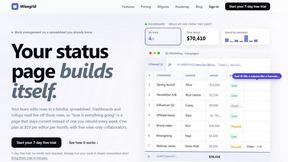
Wisegrid
Wisegrid helps project-driven teams manage projects, workflows, resources, and reporting in a familiar spreadsheet-style workspace.


Postqued
Schedule and publish social content across 10 platforms with one dashboard, API, and MCP built for teams and AI agents.
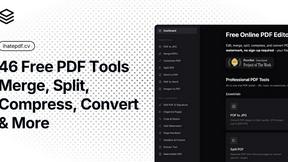
ihatepdf.cv
ihatepdf.cv is a privacy-first, browser-based PDF platform that provides an extensive suite of tools for editing, converting, compressing, organizing,
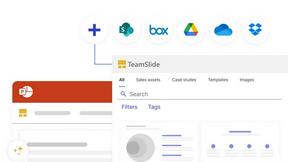
TeamSlide
TeamSlide lets your team build on-brand presentations instantly by syncing approved slides from your content system directly into PowerPoint.
About Very Good Calendar Sync Alternatives
Very Good Calendar Sync is a specialized macOS utility that falls under the productivity and management category, designed to automate the synchronization of multiple calendars without requiring manual intervention. It operates entirely on your local machine, using native calendar access to keep work, personal, and project calendars in perfect alignment. While the app offers a compelling set of privacy-focused features, users often seek alternatives due to factors such as platform limitations, as it is exclusive to macOS, or a desire for different pricing models, additional collaboration features, or integration with specific third-party services not supported by the native macOS Calendar.app. Others may need cross-platform solutions that work on Windows, Android, or iOS devices, or require cloud-based sync capabilities that differ from the local-only approach. When evaluating alternatives to Very Good Calendar Sync, it is essential to prioritize your specific workflow requirements and privacy standards. Look for solutions that offer granular control over what gets synchronized, such as the ability to filter by specific calendars, time blocks, or event details, as this prevents clutter and maintains focus. Security is another critical factor; consider whether you prefer a local-only sync like Very Good Calendar Sync or are comfortable with encrypted cloud-based services that offer greater accessibility across devices. Additionally, assess the ease of setup and the level of automation provided, as the core value of a calendar sync tool lies in its ability to run quietly in the background without requiring constant attention. Finally, ensure any alternative supports the calendar platforms you use, such as Google Calendar, Outlook, or iCloud, and check for compatibility with your operating system.
FAQs about Very Good Calendar Sync Alternatives
What is Very Good Calendar Sync?
Very Good Calendar Sync is a macOS application designed to automatically synchronize multiple calendars from the macOS Calendar.app without manual effort. It runs quietly in the background, monitoring your calendars and syncing any changes, such as new meetings or updated events, across your selected calendars. The app operates entirely on your Mac, ensuring that no calendar data is transmitted externally or stored in the cloud.
Who is Very Good Calendar Sync for?
Very Good Calendar Sync is ideal for professionals who manage multiple calendars and need to keep them aligned without constant manual updates. This includes consultants managing client calendars, employees balancing work and personal schedules, and freelancers juggling multiple projects. It is also perfect for anyone who is tired of calendar chaos and wants a set-it-and-forget-it solution that respects their privacy.
Is Very Good Calendar Sync free?
The provided content does not specify whether Very Good Calendar Sync is free or has a paid pricing model. For accurate and current pricing information, you should visit the official product website or check the Mac App Store listing. The application is described as a premium tool focused on privacy and automation, which may indicate a paid license.
What are the main features of Very Good Calendar Sync?
Key features include automatic background synchronization of any calendar available in macOS Calendar.app, with granular control over what gets synced. Users can choose specific weekdays to sync, set daily hours (e.g., 9 AM to 6 PM only), and define a start date for synchronization. Additionally, you can decide what event details to share, such as showing only the time you are busy versus full event information.