
Caption.IM
Caption.IM turns any audio on your Mac into real-time captions, translations, and summaries with a privacy-first local AI.
Visit
About Caption.IM
Caption.IM is a privacy-first AI captioning assistant designed exclusively for macOS. It transforms any audio from your computer into real-time subtitles, instant translations, recordings, and structured meeting notes, with all processing happening locally on your device. Unlike browser extensions or meeting bots that require integration into specific platforms, Caption.IM captures system audio directly, allowing it to work across virtually any application you use on your Mac. This includes popular video conferencing tools like Zoom, Google Meet, and Microsoft Teams, as well as media sources such as YouTube, online courses, podcasts, livestreams, webinars, and recorded video files. The core value proposition of Caption.IM lies in its combination of powerful AI-driven transcription and translation capabilities with a strong commitment to user privacy. By running speech recognition and natural language processing locally on your Apple Silicon Mac, your conversations never leave your device, eliminating concerns about third-party servers or data breaches. Caption.IM is built for professionals, students, content creators, researchers, and anyone who needs to capture, understand, and organize spoken information more effectively. It addresses the growing need for accessibility, information equity, and productivity in an increasingly audio and video driven digital world. Whether you are participating in remote meetings, attending online lectures, or consuming multimedia content, Caption.IM provides a seamless, elegant, and secure solution for turning spoken words into searchable, translatable, and actionable knowledge.
Features of Caption.IM
Real-time Transcription
Caption.IM generates live captions for any audio source on your Mac with exceptional accuracy and minimal latency. The transcription engine is optimized for Apple Silicon processors, delivering ultra-fast speech recognition that keeps pace with natural conversation. Whether you are in a video call, watching a recorded lecture, or listening to a podcast, the captions appear in real time, allowing you to follow along effortlessly. The system handles multiple speakers and varying audio qualities, making it reliable for diverse scenarios.
Instant Translation
Break down language barriers with real-time translated subtitles that appear alongside your original audio. Caption.IM supports multiple languages, allowing you to understand content from international meetings, foreign language courses, or global webinars without missing a beat. The translation is processed locally on your device, ensuring both speed and privacy. This feature is invaluable for multilingual teams, international students, and anyone working across linguistic boundaries.
Floating Subtitle Window
The application features a sleek, transparent overlay window that integrates seamlessly with the macOS interface. This floating subtitle window can be positioned anywhere on your screen, resized to your preference, and customized for readability. It remains unobtrusive while ensuring captions are always visible, regardless of which application you are using. The design is elegant and minimal, reflecting the high standards of macOS user experience.
AI Meeting Summaries
After any conversation or meeting, Caption.IM can automatically generate structured summaries, key points, action items, and even mind maps. This feature transforms long discussions into concise, organized documents that are easy to review and share. The AI analyzes the full transcript to extract the most important information, saving you hours of manual note-taking and review. This is particularly useful for professionals who attend multiple meetings daily and need to quickly capture decisions and follow-ups.
Use Cases of Caption.IM
Remote Meetings and Collaboration
Professionals participating in remote meetings across platforms like Zoom, Google Meet, and Microsoft Teams can use Caption.IM to generate live subtitles and automatic summaries. This ensures that no important point is missed, even in fast-paced discussions. The real-time transcription helps non-native speakers follow conversations more easily, while the AI summaries provide a clear record of decisions and action items for all participants.
Online Learning and Education
Students and lifelong learners can enhance their online education experience by using Caption.IM to caption lectures, tutorials, and educational videos. The real-time subtitles improve comprehension, especially for complex topics or when the instructor speaks quickly. The ability to search through transcripts later makes studying and reviewing material more efficient. This is also a powerful accessibility tool for students with hearing impairments.
Multilingual Team Communication
In global organizations where team members speak different languages, Caption.IM bridges the communication gap with instant translation. During international meetings, participants can see translated subtitles in their preferred language, fostering better understanding and collaboration. This reduces misunderstandings and ensures that all voices are heard and understood, regardless of linguistic background.
Content Creation and Research
Content creators, journalists, and researchers can use Caption.IM to transcribe interviews, podcasts, webinars, and recorded source material. The real-time captioning allows for immediate note-taking during live events, while the AI summaries help organize large amounts of information. The searchable transcripts become a valuable resource for quoting, referencing, and analyzing spoken content, saving significant time compared to manual transcription.
Frequently Asked Questions
How does Caption.IM capture audio from any application?
Caption.IM works by accessing the system audio output of your Mac directly, rather than relying on browser extensions or meeting platform integrations. This allows it to capture audio from any application that produces sound, including video conferencing tools, media players, web browsers, and recording software. The audio is processed locally on your device for real-time transcription and translation.
Is my data secure with Caption.IM?
Yes, privacy is a core design principle of Caption.IM. All speech recognition, translation, and AI processing can run entirely on your local device using Apple Silicon processors. Your audio data and transcripts never need to be sent to external servers for processing. This ensures that your conversations, meetings, and personal information remain private and under your control.
Which Mac models are compatible with Caption.IM?
Caption.IM is optimized for Mac computers with Apple Silicon processors, including M1, M2, M3, and later chips. The application requires macOS 15.6 or later. The local AI processing is designed to take full advantage of the Neural Engine and unified memory architecture in Apple Silicon, delivering fast and efficient performance.
Can Caption.IM work without an internet connection?
Yes, because Caption.IM processes audio locally on your Mac, it can function without a constant internet connection for core transcription and captioning tasks. This makes it ideal for use in environments with limited or unreliable internet access. Some features, such as certain translation models or cloud-based summaries, may require an internet connection depending on your configuration and settings.
Pricing of Caption.IM
Caption.IM is available as a free download on the Mac App Store with optional in-app purchases for additional features and extended usage. The application offers a free tier that allows you to experience the core real-time captioning functionality. For users who need advanced features like unlimited transcription, AI meeting summaries, and priority support, subscription plans are available. Subscriptions automatically renew unless canceled at least 24 hours before the end of the current billing period. For the most current pricing details and available plans, please refer to the official listing on the Mac App Store or the Caption.IM website.
Explore more in this category:
Similar to Caption.IM

Product Launch Checklist
A free launch checklist for SaaS, apps, AI tools and more. Every step says why it matters and when you can skip it.
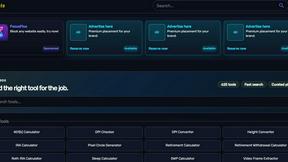
Kody Tools
Free collection of online developer utilities, code formatters, and digital converters designed to streamline your daily workflow.
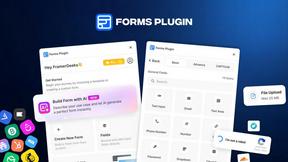
Forms Plugin
The #1 Native Form Builder Plugin for Framer - No Code, No Embeds, No External Platforms.



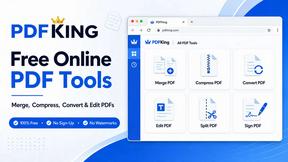
PDFKing
Free all-in-one online PDF toolkit to convert, compress, merge, split, edit, organize and protect PDF files quickly and securely.
