

Alternatives to Caption.IM
Caption.IM turns any audio on your Mac into real-time captions, translations, and summaries with a privacy-first local AI.
Explore 20 alternatives to Caption.IM. Compare features, pricing, and find the best fit for your needs.

Product Launch Checklist
A free launch checklist for SaaS, apps, AI tools and more. Every step says why it matters and when you can skip it.
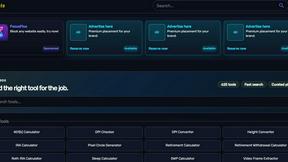
Kody Tools
Free collection of online developer utilities, code formatters, and digital converters designed to streamline your daily workflow.
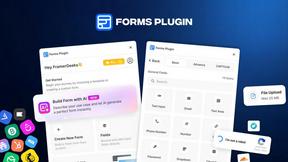
Forms Plugin
The #1 Native Form Builder Plugin for Framer - No Code, No Embeds, No External Platforms.



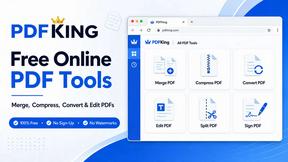
PDFKing
Free all-in-one online PDF toolkit to convert, compress, merge, split, edit, organize and protect PDF files quickly and securely.


PDFWix
PDFWix solves the challenge of managing PDF documents by providing free, secure, and easy-to-use tools for editing, converting, compressing and more..
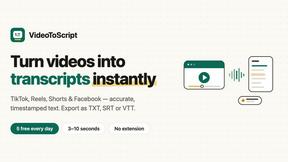
VideoToScript
Turn TikTok, Reels, Shorts, Facebook videos, audio, and video into accurate timestamped transcripts with TXT, SRT, and VTT exports.



Wisegrid
Wisegrid helps project-driven teams manage projects, workflows, resources, and reporting in a familiar spreadsheet-style workspace.


Postqued
Schedule and publish social content across 10 platforms with one dashboard, API, and MCP built for teams and AI agents.


ihatepdf.cv
ihatepdf.cv is a privacy-first, browser-based PDF platform that provides an extensive suite of tools for editing, converting, compressing, organizing,

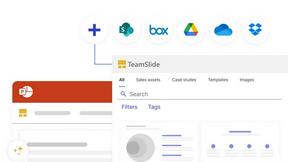
TeamSlide
TeamSlide lets your team build on-brand presentations instantly by syncing approved slides from your content system directly into PowerPoint.

About Caption.IM Alternatives
Caption.IM is a privacy-first, real-time AI captioning assistant designed specifically for macOS users. It belongs to the productivity and management category, functioning as a tool that converts any audio from your Mac into live captions, instant translations, structured meeting notes, and summaries. While its local AI processing and system-wide audio capture capabilities are highly valued, users commonly seek alternatives for a variety of reasons. These include the need for cross-platform support beyond macOS, a desire for more flexible or free pricing tiers, the requirement for additional features like advanced video editing or social media integration, or simply the need to find a solution that works on Windows or Linux systems. When evaluating alternatives to Caption.IM, it is important to prioritize tools that align with your specific workflow and privacy requirements. Key factors to consider include the breadth of platform compatibility, as some tools may only work within specific browsers or meeting applications rather than capturing system audio universally. You should also assess the accuracy of the speech-to-text engine, the quality of real-time translation features, and the depth of note-taking capabilities such as action item extraction and mind mapping. Additionally, consider whether the tool operates locally to ensure data privacy or relies on cloud processing, and evaluate the pricing model to ensure it fits your budget and expected usage volume without hidden costs.
FAQs about Caption.IM Alternatives
What is Caption.IM?
Caption.IM is a privacy-first AI captioning assistant designed for macOS. It captures system audio directly from your Mac to generate real-time captions, instant translations, recordings, and structured meeting notes. Unlike browser extensions or meeting bots, it works across virtually any application including Zoom, Google Meet, Microsoft Teams, YouTube, online courses, and podcasts, all powered by local AI on your device.
Who is Caption.IM for?
Caption.IM is designed for professionals, students, content creators, and accessibility advocates who need live subtitles, translations, and summaries from any audio source on their Mac. It is particularly useful for individuals attending multilingual meetings, taking online courses, watching webinars, or consuming podcasts who want to improve productivity and information retention without relying on cloud-based bots or browser extensions.
Is Caption.IM free?
The provided content does not specify a free tier or specific pricing model for Caption.IM. However, it is described as a privacy-first tool with local AI processing, which often implies a one-time purchase or subscription model. Users should visit the official Caption.IM website to confirm current pricing, trial options, and any available free versions.
What are the main features of Caption.IM?
Caption.IM offers real-time AI captions for any audio on your Mac, including live subtitles for conversations and meetings. It provides instant translations for multilingual content, allows you to record important audio, and transforms long discussions into structured summaries, key points, action items, and mind maps. All processing is done locally on your device, ensuring privacy and no dependency on browser extensions or meeting bots.