
Sprite-AI
Sprite-AI turns your text descriptions into pixel-perfect game sprites in seconds, no drawing skills required.
Visit
About Sprite-AI
Sprite-AI is an AI-powered pixel art generator designed specifically for indie game developers, hobbyists, and prototypers who need high-quality 2D assets quickly and efficiently. The platform allows users to describe a sprite in plain English, and the AI produces a clean, game-ready pixel art image in seconds. Sprite-AI supports multiple output sizes, including 32x32, 64x64, and 128x128 pixels, and automatically sizes the sprite correctly for its intended role, whether that be icons, items, characters, or hero and boss art. Once a sprite is generated, a built-in pixel editor provides essential tools such as paint, erase, fill, and color-pick, enabling users to fine-tune every pixel before export. The final output is a transparent PNG file that drops directly into popular game engines like Unity, Godot, GameMaker, and Unreal. Sprite-AI also features a community gallery for inspiration, prompt guides to help users craft effective descriptions, and a token-based pricing model so users only pay for what they generate. The platform is built for speed, precision, and accessibility, removing the barrier of traditional art skills and empowering creators to bring their game ideas to life. Whether you are participating in a game jam, prototyping a new mechanic, or shipping a full commercial title, Sprite-AI provides the tools and flexibility to create pixel-perfect sprites that fit seamlessly into your workflow.
Features of Sprite-AI
AI-Powered Sprite Generation from Natural Language
Sprite-AI transforms plain English descriptions into game-ready pixel art. Users simply type what they imagine, such as a fire-breathing dragon with red scales or a medieval knight with a sword and shield, and the AI interprets the request to generate a clean, pixelated sprite. This feature eliminates the need for any drawing skills, allowing developers to rapidly iterate on visual concepts and asset ideas without waiting for an artist or struggling with complex design software.
Flexible Output Sizes with Role-Specific Scaling
The platform supports multiple standard sprite sizes, including 16x16, 32x32, 64x64, and 128x128 pixels. More importantly, Sprite-AI automatically sizes the generated image based on the role you specify, such as icons, items, characters, or hero and boss art. This ensures that each sprite fits the intended context within your game, maintaining visual consistency and proper scaling across different asset types without manual resizing or adjustment.
Built-in Pixel Editor for Fine-Tuning
After generation, users can access a robust pixel editor directly within the platform. The editor includes essential tools like paint, erase, fill, and color-pick, allowing for precise pixel-level adjustments. This feature is critical for developers who need to tweak colors, fix minor details, or add a personal touch to the AI-generated sprite. It bridges the gap between automated generation and complete creative control, ensuring the final asset meets exact specifications.
Seamless Game Engine Export and Integration
Sprite-AI exports sprites as transparent PNG files, which are directly compatible with major game engines including Unity, Godot, GameMaker, and Unreal. The export process is streamlined to minimize friction, so developers can download their sprites and drop them into their projects without any format conversion or additional processing. This integration saves significant time during the asset pipeline, allowing teams to focus on gameplay and development rather than technical asset management.
Use Cases of Sprite-AI
Rapid Prototyping for Game Jams and Hackathons
During time-constrained events like game jams, participants need to generate functional assets quickly. Sprite-AI enables teams to describe characters, items, and environmental elements in plain English and receive game-ready sprites within seconds. This allows developers to focus on core gameplay mechanics and level design, while still having visually consistent and appealing pixel art that fits the theme of the jam.
Indie Game Development for Solo Creators
Solo indie developers often lack the budget or time to hire dedicated pixel artists. Sprite-AI serves as a cost-effective solution, allowing a single developer to generate a full library of 2D assets, from player characters and enemies to UI icons and environmental props. The built-in editor ensures that each sprite can be personalized to match the game's unique art style, giving solo creators professional-grade assets without an art team.
Asset Creation for Educational and Tutorial Projects
Educators and content creators who build tutorials or educational games can use Sprite-AI to quickly generate example sprites for teaching programming, game design, or pixel art fundamentals. The ability to create specific assets on demand, such as a chess knight piece or a golden magic lamp, makes it easy to illustrate concepts without spending hours on asset creation. The transparent PNG export also simplifies integration into educational software and interactive lessons.
Commercial Game Production for Small Teams
Small development studios that ship commercial titles can leverage Sprite-AI to accelerate their asset pipeline. By generating base sprites for characters, weapons, and items, artists can then fine-tune and polish them using the built-in editor. This hybrid workflow reduces the time spent on initial drafts and allows the team to iterate on visual designs more rapidly. The token-based pricing model also aligns with production budgets, as studios only pay for the sprites they actually generate and use.
Frequently Asked Questions
How does Sprite-AI generate sprites from text descriptions?
Sprite-AI uses advanced machine learning models trained on pixel art datasets to interpret plain English descriptions. When you type a prompt, such as "cute slime monster green and blue," the AI analyzes the text and generates a pixel art image that matches the description. The system also considers the specified role (icon, item, character, or hero) and output size to ensure the sprite is appropriately scaled and styled for its intended use in a game.
What file formats and sizes are available for export?
Sprite-AI exports sprites as transparent PNG files, which are universally supported by game engines and image editing software. Users can generate sprites in multiple standard sizes, including 16x16, 32x32, 64x64, and 128x128 pixels. The platform automatically sizes the sprite based on the role you select, so icons and items will be smaller than hero or boss art, ensuring proper scaling without manual adjustment.
Can I edit a sprite after it is generated?
Yes, Sprite-AI includes a built-in pixel editor that activates immediately after generation. The editor provides tools for painting, erasing, filling areas, and color-picking individual pixels. This allows you to tweak colors, fix minor details, or add custom touches to the AI-generated sprite. All edits are saved before export, giving you complete control over the final asset.
What game engines are compatible with Sprite-AI exports?
Sprite-AI exports transparent PNG files that are directly compatible with all major game engines, including Unity, Godot, GameMaker, and Unreal Engine. The files require no conversion or additional processing, allowing you to drop them straight into your project's asset folder and use them immediately. This compatibility ensures that Sprite-AI fits seamlessly into existing development workflows.
Pricing of Sprite-AI
Sprite-AI offers three pricing tiers designed to accommodate different levels of usage, from hobbyists to professional studios. The Starter plan is priced at $5 per month and includes 8 game-ready sprites per month, ideal for game jams and side projects. The Creator plan is currently available at a limited-time launch price of $8 per month (regularly $13, a 38% discount) and includes 20 unique sprites per month, PNG and SVG export, private asset storage, and uncensored generations. The Studio plan is priced at $24 per month (regularly $39, also 38% off) and includes everything in Creator plus 75 sprites per month for full production needs. All plans allow cancellation at any time, and the launch pricing is locked in forever for the first 386 subscribers.
Similar to Sprite-AI

DigiCakey
Create and send personalized digital cakes with custom frosting, fruit, candles, cards, and drawings.


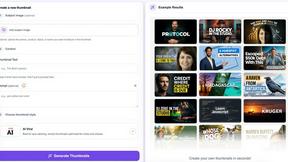
StopScroll
AI YouTube thumbnail maker that helps creators generate high-click thumbnails faster.
HubVanta AI
HubVanta AI helps creators generate images and videos with advanced AI tools for visual content workflows.
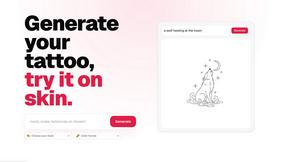
CustomTattoo AI
CustomTattoo AI generates, saves, and previews custom tattoo designs on your own skin so you can arrive at the studio with a clear, artist-ready.

Inkfox AI
Inkfox AI is a free unlimited AI image generator with no sign-up required, turning prompts into ad creatives, product shots, and social visuals.
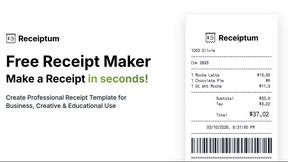
Receiptum
Receiptum lets anyone create realistic, customizable receipts in seconds for free, with no design skills required.