

Alternatives to Sprite-AI
Sprite-AI turns your text descriptions into pixel-perfect game sprites in seconds, no drawing skills required.
Explore 13 alternatives to Sprite-AI. Compare features, pricing, and find the best fit for your needs.

Chatit Me - Free Random Chat Alternative
Chat with random strangers online for free on ChatIt.me. Enjoy safe, anonymous, and instant 1-on-1 conversations with people worldwide
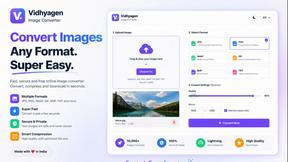
VidhyaGen
Fast, free, and privacy-focused online tool to convert image formats instantly without losing quality. Built for web users and creators.

Presentation Intelligence
AI-native presentation and visual content platform that turns prompts, documents, images, videos, and data into polished, shareable decks.
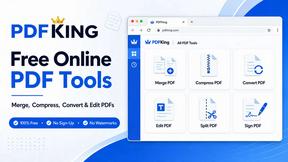
PDFKing
Free all-in-one online PDF toolkit to convert, compress, merge, split, edit, organize and protect PDF files quickly and securely.
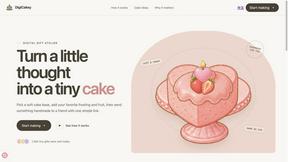
DigiCakey
Create and send personalized digital cakes with custom frosting, fruit, candles, cards, and drawings.


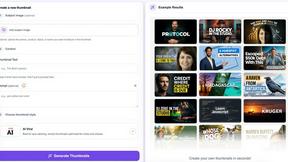
StopScroll
AI YouTube thumbnail maker that helps creators generate high-click thumbnails faster.
HubVanta AI
HubVanta AI helps creators generate images and videos with advanced AI tools for visual content workflows.
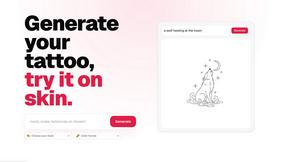
CustomTattoo AI
CustomTattoo AI generates, saves, and previews custom tattoo designs on your own skin so you can arrive at the studio with a clear, artist-ready.

Inkfox AI
Inkfox AI is a free unlimited AI image generator with no sign-up required, turning prompts into ad creatives, product shots, and social visuals.
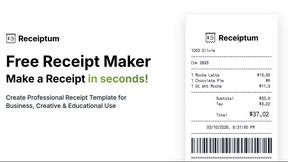
Receiptum
Receiptum lets anyone create realistic, customizable receipts in seconds for free, with no design skills required.
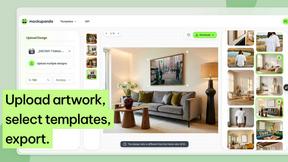
Mockupanda
Mockupanda lets you create unlimited professional mockups for your Etsy shop in minutes, boosting sales and saving you time.
About Sprite-AI Alternatives
Sprite-AI is an AI-powered pixel art generator that belongs to the design tools category, specifically tailored for indie game developers, hobbyists, and prototypers who need to quickly produce 2D assets without manual drawing skills. By describing a sprite in plain English, users can generate clean, game-ready pixel art in standard sizes like 32x32, 64x64, or 128x128, suitable for icons, items, characters, or hero and boss art. Users commonly look for alternatives due to factors such as the token-based pricing model, which may not suit those with high-volume generation needs, or a desire for different output styles, offline capabilities, or integration with specific game engines beyond the supported platforms. Additionally, some may seek tools with more advanced editing features, lower per-use costs, or a different community ecosystem. When choosing an alternative, it is important to evaluate the balance between generation speed and customization control, as well as the pricing structure to ensure it aligns with your project budget and frequency of use. Look for tools that offer flexible output sizes and transparent PNG exports compatible with major game engines like Unity, Godot, GameMaker, or Unreal. Consider whether the alternative provides a built-in pixel editor for fine-tuning, as post-generation adjustments are often critical for polished assets. Finally, assess the availability of prompt guidance, community galleries, and support documentation to ensure the tool can grow with your skill level and project complexity.
FAQs about Sprite-AI Alternatives
What is Sprite-AI?
Sprite-AI is an AI-powered pixel art generator designed to help indie game developers, hobbyists, and prototypers create 2D assets quickly without needing to draw manually. Users describe a sprite in plain English, and the app produces clean, game-ready pixel art in standard sizes such as 32x32, 64x64, or 128x128. It includes a built-in pixel editor for fine-tuning details and supports exporting transparent PNG files compatible with major game engines like Unity, Godot, GameMaker, and Unreal.
Who is Sprite-AI for?
Sprite-AI is primarily built for indie game developers, hobbyists, and prototypers who require fast generation of 2D pixel art assets for their projects. It is especially useful for those who lack drawing skills but still need high-quality sprites for characters, icons, items, or boss art. The tool also benefits anyone looking to accelerate their game development workflow by generating sprites from simple text prompts rather than manually creating pixel art from scratch.
Is Sprite-AI free?
Sprite-AI operates on a token-based pricing model, meaning users only pay for what they generate rather than a flat subscription fee. There is no mention of a completely free tier, but the token system allows for flexible spending based on individual usage needs. This approach is designed to be cost-effective for users who generate sprites infrequently or in small batches, though heavy users may accumulate costs over time.
What are the main features of Sprite-AI?
Sprite-AI offers several key features, including text-to-sprite generation that produces pixel art from plain English descriptions in sizes 32x32, 64x64, or 128x128. It includes a built-in pixel editor with tools for painting, erasing, filling, and color-picking to refine generated sprites. Users can export sprites as transparent PNG files that integrate directly into Unity, Godot, GameMaker, and Unreal. Additionally, the platform provides a community gallery, prompt guides, and a token-based pricing system for flexible usage.