BoltShot
BoltShot is a simple, ultra-fast API that captures perfect screenshots of any URL without the need for browser operations or infrastructure.
Visit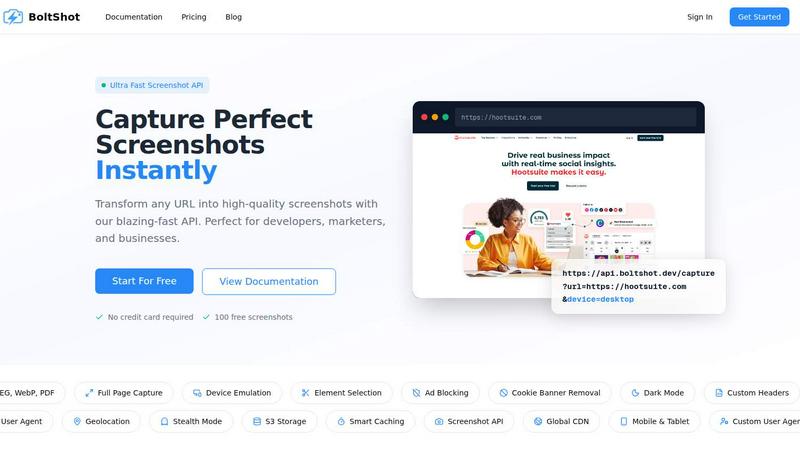
About BoltShot
BoltShot is a high-performance website screenshot API designed to transform any URL into pixel-perfect, high-quality screenshots through a simple and efficient API request. This powerful tool supports multiple output formats including PNG, JPEG, WebP, and PDF, giving developers and businesses the flexibility to choose the best format for their specific needs. At its core, BoltShot eliminates the complexity of managing browser infrastructure, headless Chrome instances, and Puppeteer setups, allowing users to focus on building their applications rather than maintaining screenshot pipelines. The API is built for developers, marketers, e-commerce platforms, and businesses that require reliable, fast, and clean web page captures for a wide range of applications. BoltShot offers full-page capture capabilities, device emulation for mobile, tablet, and desktop viewports, and custom viewport settings for precise rendering control. Users can capture specific page elements using CSS selectors, while built-in features such as ad blocking, cookie banner removal, and smart caching help produce clean, efficient results without manual intervention. Advanced capabilities include S3 uploads with CDN delivery for fast global access, custom user agents, geolocation emulation, stealth mode for bypassing detection, and custom headers for authenticated pages. With a 99.9 percent success rate, sub-100 millisecond response times, and a generous free tier offering 100 screenshots without requiring a credit card, BoltShot provides an accessible yet powerful solution for automated reporting, e-commerce previews, web archiving, testing, compliance monitoring, and many other workflows.
Features of BoltShot
Flexible Rendering and Capture Options
BoltShot provides comprehensive control over how web pages are captured, supporting full-page screenshots with automatic scrolling for complete page captures, element targeting using CSS selectors to capture only specific components, and device emulation with viewport presets for mobile, tablet, and desktop environments. Users can also define custom viewport dimensions for pixel-perfect precision in every capture scenario, ensuring that screenshots match exact design specifications and rendering requirements across different devices and screen sizes.
Clean Capture Technology
The API automatically removes distractions from screenshots by detecting and eliminating cookie consent popups, filtering out advertisements for cleaner images, and removing modal dialogs and notification overlays that can clutter captures. This clean capture technology ensures that users receive professional, distraction-free screenshots suitable for presentations, documentation, marketing materials, and automated reporting without requiring manual post-processing or image editing to remove unwanted elements.
Performance and Storage Infrastructure
BoltShot includes built-in smart caching with configurable time-to-live settings that significantly reduce response times for repeated captures, along with fast S3 uploads and CDN delivery that ensure screenshots are stored securely and delivered instantly worldwide. The infrastructure achieves sub-100 millisecond response times and maintains a 99.9 percent success rate, while custom storage options give users complete control over their data, making the API reliable for production workloads and high-volume screenshot generation.
Advanced Configuration Capabilities
The API offers sophisticated configuration options including custom user agents for simulating different browsers and devices, geolocation emulation for testing location-specific content, stealth mode to bypass bot detection and anti-scraping measures, and custom headers for accessing authenticated or restricted pages. These advanced features enable developers to capture screenshots of complex web applications, password-protected content, and region-specific pages, expanding the range of use cases beyond basic URL-to-image conversion.
Use Cases of BoltShot
E-commerce Product Previews and Marketing
Online retailers and e-commerce platforms can use BoltShot to automatically generate high-quality product previews, category page screenshots, and promotional content images for use in marketing materials, social media posts, and advertising campaigns. The clean capture technology ensures that product images appear without distracting cookie banners or popups, while device emulation allows for creating previews that match how products appear on mobile, tablet, and desktop devices, improving customer experience and conversion rates.
Automated Reporting and Dashboard Monitoring
Businesses and analytics platforms can integrate BoltShot into their reporting pipelines to automatically capture screenshots of dashboards, charts, and data visualizations at scheduled intervals. These screenshots can be stored for historical comparison, included in automated email reports, or used for compliance documentation. The API's reliability and caching capabilities make it ideal for generating consistent, high-quality report images without manual intervention, saving time and ensuring accuracy in data presentation.
Web Archiving and Compliance Monitoring
Organizations requiring web archiving for legal compliance, brand monitoring, or competitive analysis can leverage BoltShot to capture and store snapshots of web pages at regular intervals. The stealth mode and custom header features enable capturing content behind authentication, while geolocation emulation allows for monitoring how pages appear in different regions. The S3 storage and CDN delivery ensure that archived screenshots are securely stored and quickly accessible for audit purposes or historical reference.
Software Testing and Quality Assurance
Development teams can use BoltShot to automate visual regression testing by capturing screenshots of web applications across different devices, viewports, and configurations after each deployment. The API's ability to capture specific elements using CSS selectors allows for focused testing of individual components, while the clean capture features ensure that tests are not affected by dynamic elements like cookie banners or ads. This integration streamlines QA workflows and helps catch visual bugs before they reach production.
Frequently Asked Questions
What output formats does BoltShot support?
BoltShot supports four primary output formats: PNG for lossless image quality with transparency support, JPEG for compressed images suitable for web use, WebP for modern web-optimized images with superior compression ratios, and PDF for document-oriented captures that preserve page layout and text. Users can specify the desired format in their API request parameters, allowing for flexibility based on the specific requirements of their application or workflow.
Do I need to manage my own browser infrastructure to use BoltShot?
No, BoltShot completely eliminates the need to manage browser clusters, headless Chrome instances, or Puppeteer setups. The API handles all browser management, rendering, and screenshot generation on the server side, allowing developers to integrate screenshot capabilities with a simple HTTP request. This removes the operational burden of maintaining browser infrastructure, scaling resources, and dealing with browser version updates or compatibility issues.
How does BoltShot handle cookie banners and advertisements?
BoltShot includes built-in clean capture technology that automatically detects and removes cookie consent popups, advertisement banners, modal dialogs, and notification overlays from screenshots. This feature ensures that captured images appear clean and professional without requiring manual post-processing. The detection algorithms work intelligently to remove only intrusive elements while preserving the actual content and layout of the web page being captured.
Is there a free tier available for testing BoltShot?
Yes, BoltShot offers a generous free tier that includes 100 screenshots without requiring a credit card. This allows developers and businesses to thoroughly test the API's capabilities, evaluate performance, and integrate it into their workflows before committing to a paid plan. The free tier provides access to all core features including multiple output formats, device emulation, and clean capture technology, making it easy to assess whether BoltShot meets your specific requirements.
Pricing of BoltShot
BoltShot offers a simple and transparent pricing structure designed to accommodate projects of all sizes. The Free plan provides 100 screenshots per month with no credit card required, making it ideal for testing and small projects. The Developer plan at $29 per month includes 5,000 screenshots with all core features enabled. The Business plan at $99 per month offers 25,000 screenshots with priority support and advanced features. For enterprise customers with high-volume requirements, custom plans are available with dedicated support, custom SLAs, and volume discounts. All paid plans include access to every feature such as full-page capture, device emulation, clean capture technology, S3 storage, CDN delivery, and advanced configuration options.
Similar to BoltShot
Product Launch Checklist
A free launch checklist for SaaS, apps, AI tools and more. Every step says why it matters and when you can skip it.
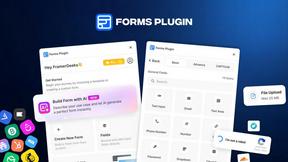
Forms Plugin
The #1 Native Form Builder Plugin for Framer - No Code, No Embeds, No External Platforms.
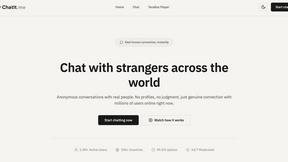
Chatit Me - Free Random Chat Alternative
Chat with random strangers online for free on ChatIt.me. Enjoy safe, anonymous, and instant 1-on-1 conversations with people worldwide
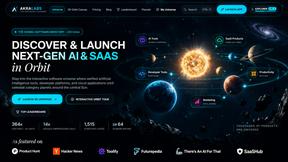
AkraLabs
Where modern software products get discovered, launched, and distributed. Explore verified AI tools, SaaS startups, and developer software.
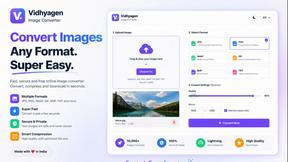
VidhyaGen
Fast, free, and privacy-focused online tool to convert image formats instantly without losing quality. Built for web users and creators.